There's a pattern I see with almost every photography studio that reaches out to us.
The work is excellent. The shoots are polished. The gallery delivery is handled well. But when it comes to invoices - most studios are doing one of three things: screenshotting a WhatsApp payment confirmation and sending it to the client, printing a receipt manually and photographing it, or sending nothing at all and relying on the client's memory that the advance was paid.
None of these are wrong, exactly. But all of them are costing you something - either time, professionalism, or both.
Here's what actually changes when you switch to automated invoice generation. And why, for Indian photography studios specifically, this matters more than most photographers realise.
The Real Problem With Manual Invoices
It Looks Unprofessional - Even When Your Work Isn't
A client books you for ₹60,000. You've shown them a premium portfolio. They've seen your equipment. They trust the quality. Then you send them a WhatsApp screenshot of a UPI payment confirmation as their "invoice."
That mismatch - between the quality they expect from you and the receipt they receive - is subtle but it registers. It's not that they'll cancel the booking. It's that the perception of your studio drops a small notch. And for a business built on referrals, small notches add up.
A proper invoice - with your studio name, logo, event details, invoice number, and payment breakdown - takes that notch back. It communicates that your business runs like a business, not a side project.
No Audit Trail for Installment Payments
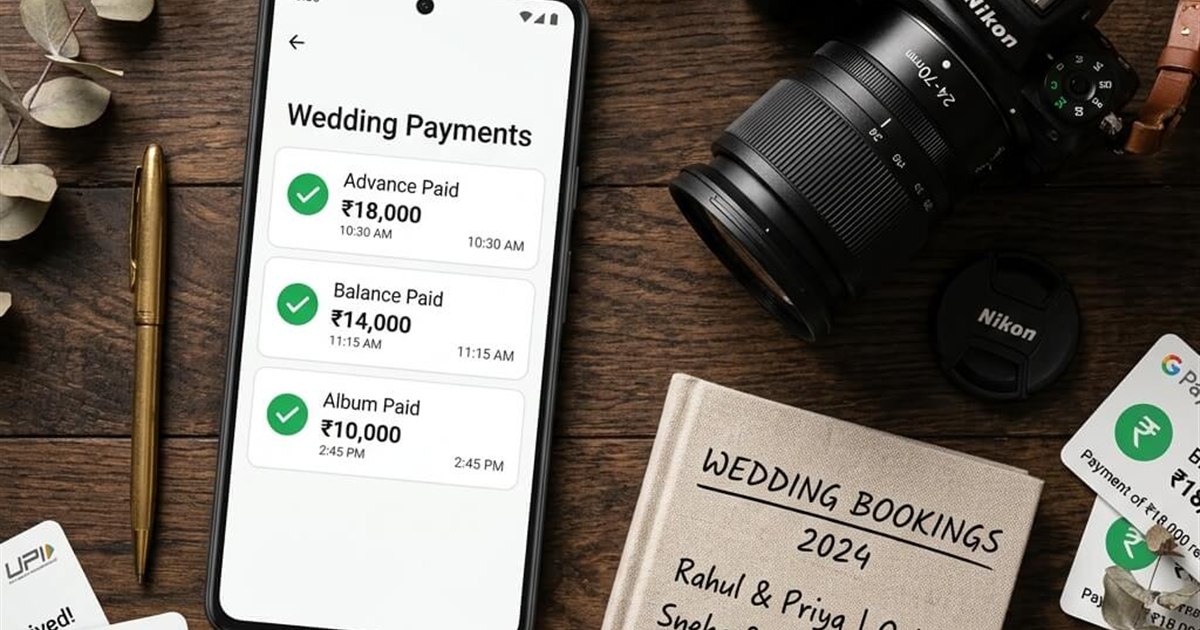
This is where it gets practically painful. Most photography bookings in India involve multiple payments - advance at booking, a second installment closer to the event, final balance on delivery day.
Without an invoice for each installment, you're trusting memory. The client thinks they paid ₹25,000 as advance. You're fairly sure it was ₹20,000. Neither of you has a document with an invoice number, a timestamp, and a clear record. That ambiguity is a small thing - until it isn't.
Disputes over payment amounts are more common than studios admit. And they're almost always preventable with a simple, automatically generated invoice for every payment received.
WhatsApp Receipts Don't Count as Business Records
If you're registered under GST or are moving toward formal accounting, a WhatsApp payment screenshot is not a valid document. A proper invoice with sequential invoice numbers, client details, and payment breakdowns is what your accountant needs - and what you need at year-end to understand where your revenue actually came from.
Even if you're not at that point yet, starting with proper invoices now means you won't have to reconstruct three years of payment history when it matters.
What a Good Photography Invoice Should Include
The Basics - Non-Negotiable
Every photography invoice should have your studio name and logo at the top, a unique invoice number, the client's name and phone number, the event name and date, the package or service description, the payment amount received in this transaction, the balance still due, and the payment method (UPI, cash, bank transfer).
That's the minimum. Missing any of these - especially the invoice number and balance due - makes the document significantly less useful.
The Details That Distinguish a Professional Studio
Beyond the basics, a good photography invoice also confirms what the client is getting. Not just "wedding photography" but the specific package - number of hours covered, albums included, delivery timeline, whether drone or videography is part of the booking.
When a client reads their invoice and sees the service described clearly, they have fewer questions, fewer misunderstandings at delivery, and fewer reasons to go back and dispute what was agreed.
A Note for Installment Invoices
For multi-installment bookings, each invoice should clearly state: which installment this is (1st advance, 2nd installment, final balance), the total booking value, the amount paid so far across all installments, and the remaining balance after this payment.
This gives the client full visibility at every stage - and removes any ambiguity about what's still owed before the event.
How Automated Invoice Generation Works in Practice
Record the Payment, Invoice Sends Itself
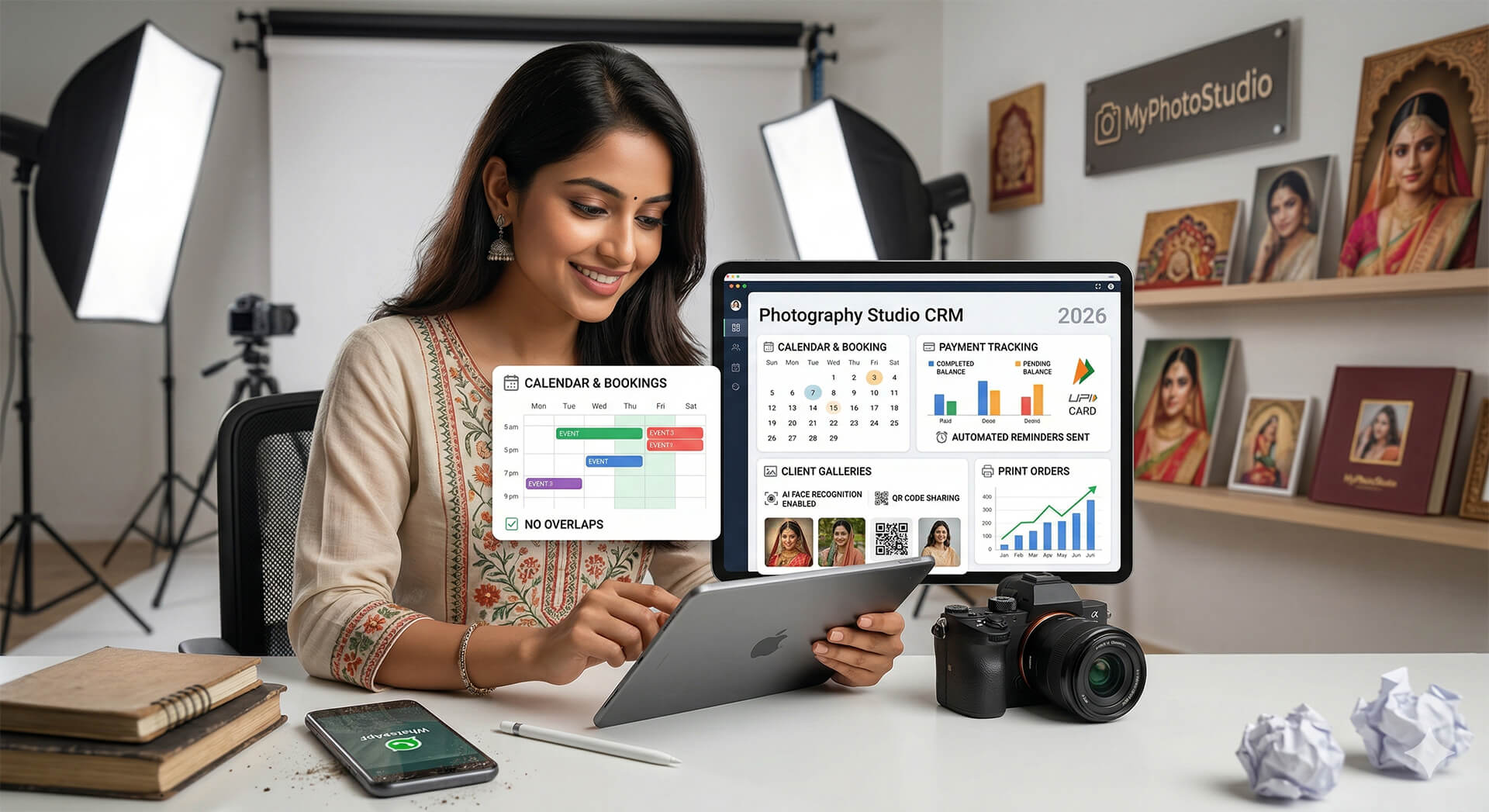
In a properly built photography CRM, the workflow is this: you record a payment from a client in the dashboard, and the system generates a professional PDF invoice automatically and delivers it to the client via Email and WhatsApp - without any extra steps from you.
You don't open a Word template. You don't fill in a form. You don't take a screenshot. You record the payment, and the client receives a clean, branded invoice within seconds.
This is exactly how the invoice system works in MyPhotoStudio. Every payment you enter - whether it's an advance, a mid-shoot installment, or a final balance - triggers an automatic invoice that goes out via both Email and WhatsApp with no manual action required.
PDF That Opens on Any Phone
The invoice is generated as a PDF, which means it looks identical on every device - not stretched, not reformatted, not clipped. Whether your client opens it on a Samsung mid-range or an iPhone, the document looks exactly as intended.
This also means they can save it to their files app, forward it to their accountant, or print it if needed. A WhatsApp image screenshot cannot do any of these things cleanly.
One Invoice Per Payment - Automatically
For studios handling 10-15 bookings per month, manually creating and sending invoices is a 20-30 minute task per booking across the payment lifecycle. Over a year, that's hours of time spent on administrative work that adds no value to your photography.
Automation removes this entirely. The invoice is generated the moment payment is recorded. It is sent without you doing anything. The record exists in the system with a timestamp and invoice number. Done.
Photography Invoice Software vs Generic Billing Tools
Why Generic Invoice Apps Don't Fit the Photography Workflow
There are plenty of invoicing apps available - Zoho Invoice, QuickBooks, Vyapar, and so on. All of them work. But none of them were built around the way a photography studio actually handles payments.
You need invoice generation tied directly to your event and client records - not a separate system where you manually re-enter client names, event details, and package information from a spreadsheet. Every time you enter data twice, you're creating an opportunity for error and doubling the time spent.
A photography-specific CRM connects the invoice to the event from the start. The client name, event details, package value, and prior payments are already in the system. The invoice pulls that data automatically. There's no re-entry, no cross-referencing, no copy-paste.
Invoice Delivery Should Be Part of the Same System
Another limitation of generic tools: they send invoices by email only, which in the Indian market means a significant percentage of clients never receive it. Most photography clients in India communicate on WhatsApp first and check email second - if at all.
For the invoice to be useful, it needs to reach the client where they actually look. WhatsApp delivery isn't a nice-to-have for Indian studios. It's the delivery channel that actually works.
The MyPhotoStudio features page covers this in detail - invoice generation, Email delivery, and WhatsApp delivery are all part of the same single action on the payments dashboard. No separate steps, no separate apps.
What Changes When You Have Proper Invoicing in Place
Clients Pay Faster
A proper invoice creates a psychological shift. When a client receives a formal document - with an invoice number, a due date for the balance, and a clear payment breakdown - it signals that the balance is expected on time. It's not a casual request.
Compare this to the follow-up message that most photographers send: "Hi, just checking on the final payment." That's easy to defer. An invoice with a balance due date on it is harder to ignore.
Fewer Payment Disputes
Every invoice is a timestamp and a record. When a client questions how much they've paid, you have documentation - invoice number, date, amount, payment method. The conversation ends quickly because the evidence is there.
Most payment disputes in photography bookings are not bad faith - they're confusion. Good documentation eliminates the confusion before it becomes a dispute.
You Look Like a Studio, Not a Freelancer
This is a positioning point as much as a practical one. Studios that send professional invoices, maintain proper records, and communicate formally are perceived differently than those that don't - even if the photography work is identical. If you're building toward premium clients, your administrative process is part of the brand signal you're sending.
Getting Started With Invoice Generation in MyPhotoStudio
If you're already using MyPhotoStudio as your photography CRM, invoice generation is available in your dashboard today. Set up your studio name and invoice details in Settings, and every payment you record will automatically generate and deliver the invoice via Email and WhatsApp.
If you're not yet on the platform, the invoice feature is included across all plans - including the Starter plan at ₹1,000. You don't need an upgraded plan to access it. See the full breakdown on the pricing page.
The setup takes less than five minutes. After that, every payment you record sends a professional PDF invoice automatically. That's the entire workflow change.
WhatsApp us directly if you have questions about the invoice feature or want a quick demo. No forms. No callbacks. Direct conversation.
Transform Your Photography Studio Today
Start automatically delivering thousands of event photos directly to your clients using MyPhotoStudio's AI Face Recognition - from ₹1,000 per event.
Start Free TrialLearn about our photography CRM software or view pricing plans.