
The school annual day is done. You have 2,400 edited photos. The principal is expecting a pen drive by Friday. And 600 parents are already messaging the school WhatsApp group asking when they can see their child's photos.
This is the school event photo problem. It is not about editing speed or storage. It is about delivery - getting each parent to the photos of their specific child, across 2,400 images, without spending your weekend manually sorting and forwarding.
Here is what actually goes wrong with each method photographers currently use, and what replaces it.
The Pen Drive to the Principal - Why It Always Fails
Giving a pen drive to the school principal feels like delivery is complete. It is not. The principal now becomes your distribution channel - a role they did not agree to and cannot execute.
The principal copies the drive to the school computer. Parents are told to come to the office and wait for the secretary to find their child's photos among 2,400 images in a folder called "ANNUAL_DAY_FINAL_EDIT_v3". Three parents arrive on the same day. The secretary cannot help all of them. Parents start messaging you directly. Your phone number now belongs to 600 families.
Six weeks after the event, 70% of parents still have not received a single photo of their child. The school does not invite you back the following year - not because your photos were poor, but because the delivery experience was frustrating for parents and staff alike.
The School WhatsApp Group - Why It Makes Things Worse
Some photographers upload all event photos to the school WhatsApp group. This causes three problems simultaneously.
First, WhatsApp compresses every image shared as a photo attachment by 60-70%. A 6MB edited JPEG becomes a 1.5MB compressed file. Parents who want to print a framed photo of their child's prize moment receive a file that will look blurred at any size above 4x6. They blame the photographer.
Second, 2,400 photos flood the group within minutes. Most parents mute the group immediately and never find their child's photos. The parents who do scroll through the group cannot locate specific children without searching manually through every image.
Third, the WhatsApp group never ends. Parents continue posting, asking, requesting resends, and tagging you for months after the event.
Google Drive or WeTransfer Links - Why They Look Good and Work Poorly
Sharing a Google Drive folder link feels like a modern solution. It is better than WhatsApp for file quality - photos are not compressed. But the sorting problem remains entirely unsolved.
A parent receives the Google Drive link for their child's school annual day. The folder contains 2,400 photos. They open the folder on their phone. Photos are sorted by file name - IMG_5001, IMG_5002, IMG_5003. There is no way to filter by face or by their child's name. The parent scrolls 400 photos, spots their child in two group shots, gives up on finding the candid moments, and downloads the two photos they found.
The parent does not understand why a photographer who charged Rs.15,000 for the school event could not sort photos by child. You understand - it would take 40 hours of manual work. But they do not see your time cost. They see a folder of 2,400 unsorted images.
The Professional Method: QR Code at the Event + AI Face Search for Parents
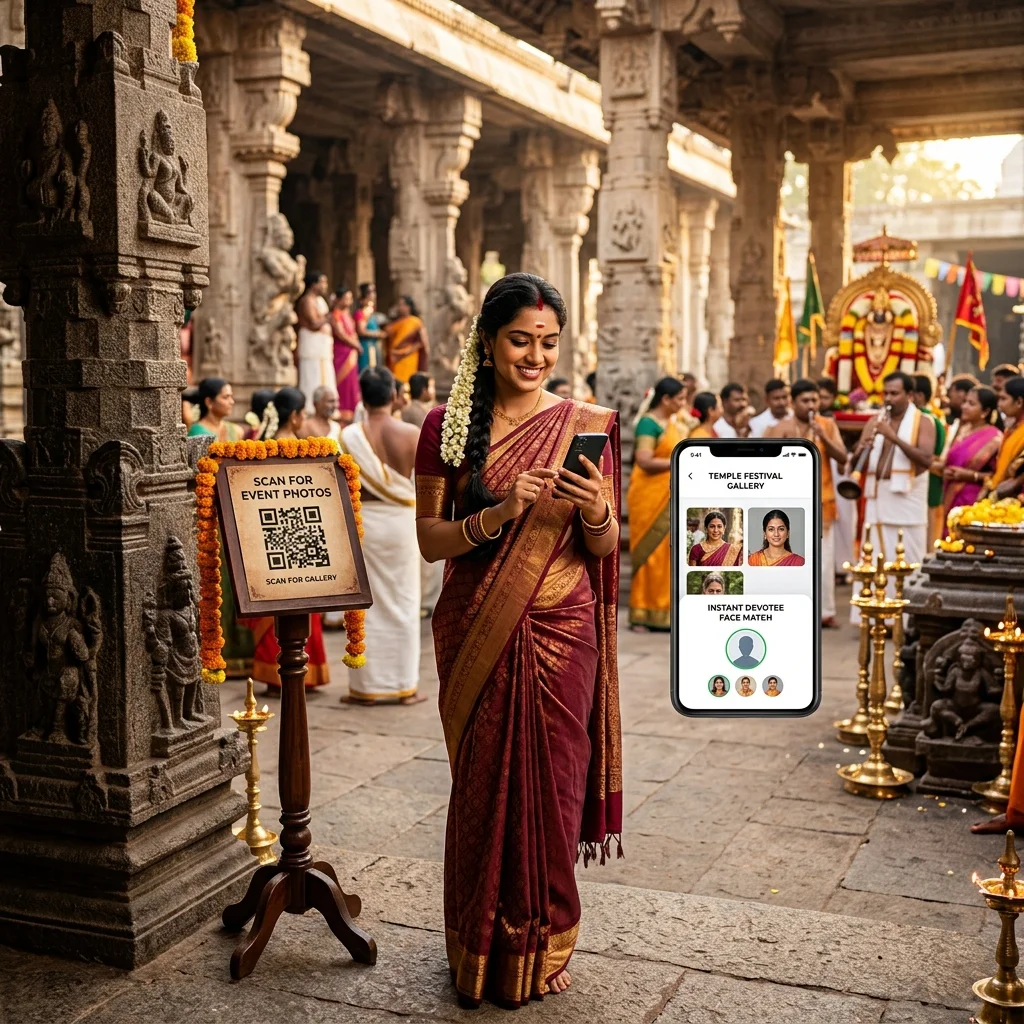
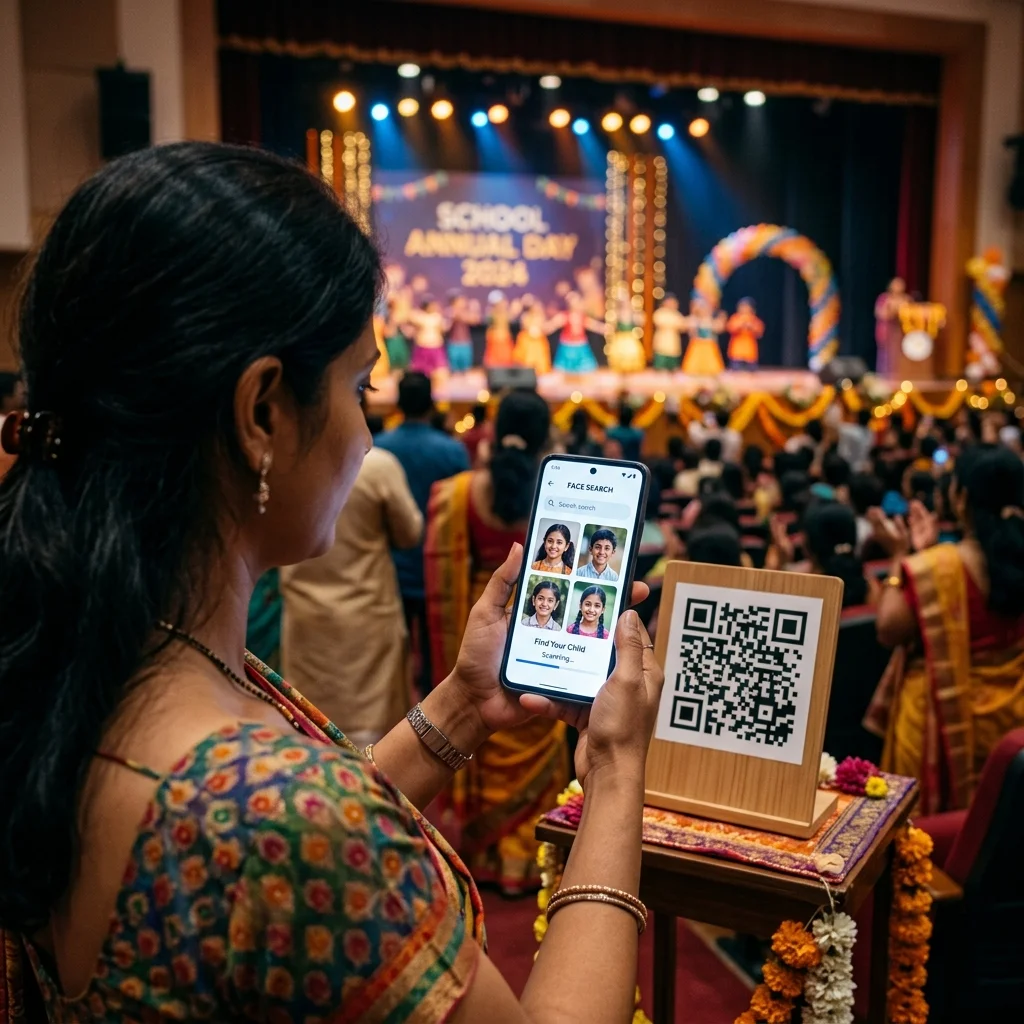
One QR code is displayed at the school venue - on the stage backdrop, at the entrance gate, in the printed programme, or on a standee near the exit. Every parent who scans it opens the event gallery in their phone browser.
Inside the gallery, they tap "Find My Child's Photos" and take a selfie. AI face recognition matches the parent's face against every photo in the gallery - but for school events, the more effective option is the "Upload a Photo" tab, where parents upload any clear photo of their child. The AI finds every photo where that child appears, across 2,400 images, in under a second.
No app download. No account creation. No pen drive. No WhatsApp group. No manual sorting by you or the school staff.
How to Set This Up Before the School Event
Step 1: Create the event in MyPhotoStudio before the school visits. Log in and create a new event for the annual day. The QR code is generated instantly - before any photos are uploaded. Print the QR code the day before the event and give it to the school to display at the venue.
Step 2: Decide on download settings before going live. Three options are available - free download for all parents, paid HD softcopy download, or browse-only with print ordering. For school annual days, many studios offer free download to make parents happy, while enabling paid print orders for those who want physical prints. Set this before you upload a single photo.
Step 3: Upload photos after editing. Bulk upload the edited batch directly to the event gallery in your browser. No desktop software needed. For 2,400 photos, upload takes 20-40 minutes depending on file sizes. Once uploaded, AI automatically indexes every face in every photo. No tagging required.
Step 4: Share the gallery link with the school. Send one WhatsApp message to the principal: "Annual day gallery is ready. Parents can scan the QR code we provided or open this link to find their child's photos using a selfie." One message to one person. Every parent handles the rest themselves.
Step 5: Enable print ordering if the school wants it. Parents can order framed prints, 4x6, 5x7, or 8x10 prints delivered to their home or to the classroom. Orders appear in your dashboard with delivery details. You fulfil them via your lab partner. Zero commission - every print sale goes directly to your account.
What Parents Experience at the Annual Day Venue
A parent arrives at the school annual day and scans the QR code displayed at the entrance. The gallery opens in their phone browser immediately. They tap "Find My Child's Photos", upload a photo from their camera roll, and within one second the gallery shows only the photos where their child appears.
During the event itself, photos are not yet uploaded - the parent sees a "gallery coming soon" message. But the QR link is saved on their phone. Three days later, when the edited photos go live, they open the same link and find their child's photos immediately. They share to the family WhatsApp group, download the ones they want, and order a framed print for grandparents.
You receive zero calls, zero messages, zero requests to sort photos manually. The AI handles individual photo delivery for all 600 parents simultaneously.
How This Changes School Photography Revenue
When only the principal receives the pen drive, only the principal has the photos - and no one buys prints. When 600 parents each find their own child's photos in a gallery, 600 people are looking at emotionally significant images at the exact moment they are most likely to want a physical copy.
A 600-parent school annual day where 40 parents order a 5x7 print at Rs.120 generates Rs.4,800 in additional print revenue. This is revenue from an event where the photography work is already done. The print store earns passively from a gallery that is already live.
Studios using QR code photo sharing for school events report that schools also begin promoting the QR code delivery method to parents before the event - telling families to scan the QR code to receive photos. This increases engagement and reduces pressure on the school's administrative staff after the event.
Frequently Asked Questions
How do I deliver school annual day photos to parents without WhatsApp?
Create an event gallery in MyPhotoStudio before the annual day and print the QR code to display at the venue. After editing, upload all photos to the gallery. Parents scan the QR code, upload a photo of their child, and AI face recognition finds every photo that child appears in - across thousands of images - in under one second. No WhatsApp groups, no pen drives, no manual sorting. The school shares the gallery link with parents once, and every parent handles the rest independently from their phone.
Can parents find specific photos of their child in a 2,000-photo school gallery?
Yes - this is exactly what AI face search is designed for. Parents upload any clear photo of their child in the gallery's search interface, and the AI returns every photo where that child appears within one second. It works across group shots, stage performances, prize ceremonies, and candid moments. Parents do not need to scroll through the full gallery at all. The search runs against the complete event gallery regardless of how many photos are uploaded.
Do parents need to download an app to access school event photos?
No. The gallery opens in any standard mobile browser - the same browser parents already use for WhatsApp links and Instagram. There is no app to install, no account to create, and no login required. This is important for school events where parents range from tech-comfortable to very basic smartphone users. The QR code scan and browser-based gallery work on any smartphone regardless of model or operating system version.
Can parents order prints of school photos directly from the gallery?
Yes. If the studio enables the print store, parents can order physical prints directly from the gallery after finding their child's photos. Available sizes are configured by the studio (4x6, 5x7, 8x10, canvas, framed). Parents choose the size, quantity, and delivery method - courier to home address or delivery to classroom. Payment is via UPI or card through Cashfree. The order appears in the studio's dashboard with full delivery details. The studio fulfils the order and keeps 100% of the sale - zero commission.
What is the best way to deliver school event photos to parents in India?
The most effective method for large Indian school events is a QR code gallery combined with AI face search. The QR code is displayed at the venue so parents can scan it during or immediately after the event. When photos are uploaded after editing, parents use AI face search to find their child's photos instantly without browsing the full gallery. This method handles 500-1,000 parents simultaneously without any manual work from the photographer or the school administration. It replaces pen drives (which create a bottleneck at the school office), WhatsApp groups (which compress photos and create chaos), and Google Drive links (which give parents no way to find their specific child).
Looking to set up QR code photo delivery for your next school event? See how AI photo sharing for school events works or register your studio free and create your first school event gallery today.
Transform Your Photography Studio Today
Start automatically delivering thousands of event photos directly to your clients using MyPhotoStudio's AI Face Recognition - from ₹1,000 per event.
Start Free TrialExplore our AI photo sharing platform, learn about our photography CRM software, or view pricing plans.