It was a Saturday afternoon in March. Priya, a wedding photographer from Chennai, had just finished editing 2,400 photos from a wedding she had shot in January. Two months of editing. The album was ready to go to the designer - except for one thing. She still did not have the client's photo selection.
She opened WhatsApp and counted. 63 messages between herself and the bride across three different conversations. The bride had sent a list of 47 photos in February. Then 12 more "also add this one" messages after that. The groom's mother had sent an audio note in Tamil describing a specific photo - "the one where Karthik is standing with Thatha near the mandapam entrance, that evening one." The groom himself had sent a separate list via his cousin's phone number.
None of these lists matched. Some photos appeared in all three. Some were contradictory. Priya had no idea what the actual final selection was. She sent another WhatsApp asking for a consolidated list. The bride replied: "I'll send it soon anna."
That album went to the designer in May. Four months after the wedding.
This is not an unusual story for Tamil Nadu photographers. It is the standard one. Album selection is where every smooth photography workflow falls apart - not because photographers are disorganised, but because WhatsApp is completely wrong tool for this job.
This post covers exactly how MyPhotoStudio replaces that process with a structured online photo selection portal - where the client selects photos from their gallery, submits a clean list, and the studio downloads the originals in full resolution with one click.
Why Album Selection Drags for Months When You Use WhatsApp
The problem with WhatsApp album selection is not the client's fault. The platform was not built for photo curation. When you share 2,000 photos in a Google Drive link or a WhatsApp gallery and ask a family to "pick 150 for the album," here is what actually happens:
Three Family Members, Three Different Lists
Tamil Nadu weddings are family decisions. The bride shortlists photos she loves. The groom has different preferences. The parents have their own list - especially photos with extended family and elders that the couple may have overlooked. All three groups message you separately. None of them know what the others have sent. You receive three overlapping, contradicting lists and are expected to reconcile them into one final selection.
No Running Count, No Limit Enforcement
If the package includes 150 album photos, there is no way to enforce that limit over WhatsApp. The client sends 180 photos across 12 messages over three weeks. You have to manually count, go back to the client, ask them to remove 30, and restart the conversation. Every round-trip adds days.
Photos Described, Not Identified
Audio notes describing photos. "The one in the garden." "After the muhurtham, when we were leaving." "The candid one where I am laughing near the flower wall." These descriptions mean nothing to a photographer looking at 2,400 images. You spend time hunting for photos you cannot identify from a voice note.
The result: album selection that should take the client 2-3 hours across a week takes 6-10 weeks of back-and-forth. And the photographer cannot start production until that list is clean and final.
How the Selection System Works - Starting at the Package
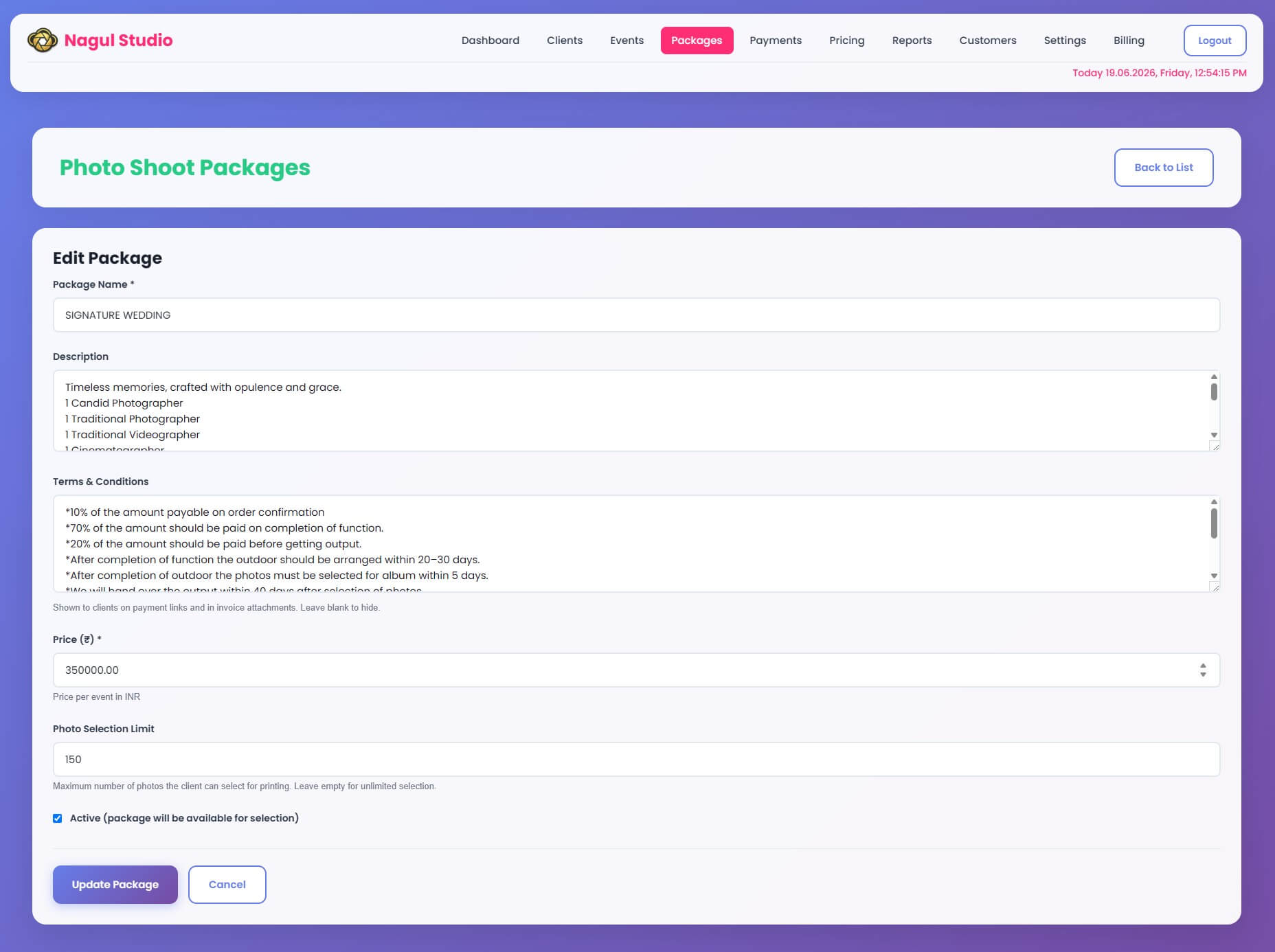
The selection system in MyPhotoStudio's photo selection portal starts before the event - at the package setup stage. When you create a package (for example, a Signature Wedding package priced at ₹3,50,000), you define three things alongside the price:
Photo Selection Limit
You set the maximum number of photos the client can select for printing - for example, 150 photos. This limit is stored with the package and automatically enforced in the client portal. When the client has selected 150 photos, the portal stops them from adding more. No negotiation required after the fact. No manual counting on your end.
Terms and Conditions
You enter your studio's terms directly into the package - payment schedule, outdoor shoot deadlines, album selection timelines, delivery timelines. For example: "Photos must be selected for album within 5 days after outdoor shoot completion. Output will be delivered within 40 days after selection." These terms are automatically included in every payment link sent to the client and in every invoice PDF - so the client sees them at every payment stage, not just at booking. No separate document to send. No "I didn't know" from the client later.
Payment Structure in the Same Package
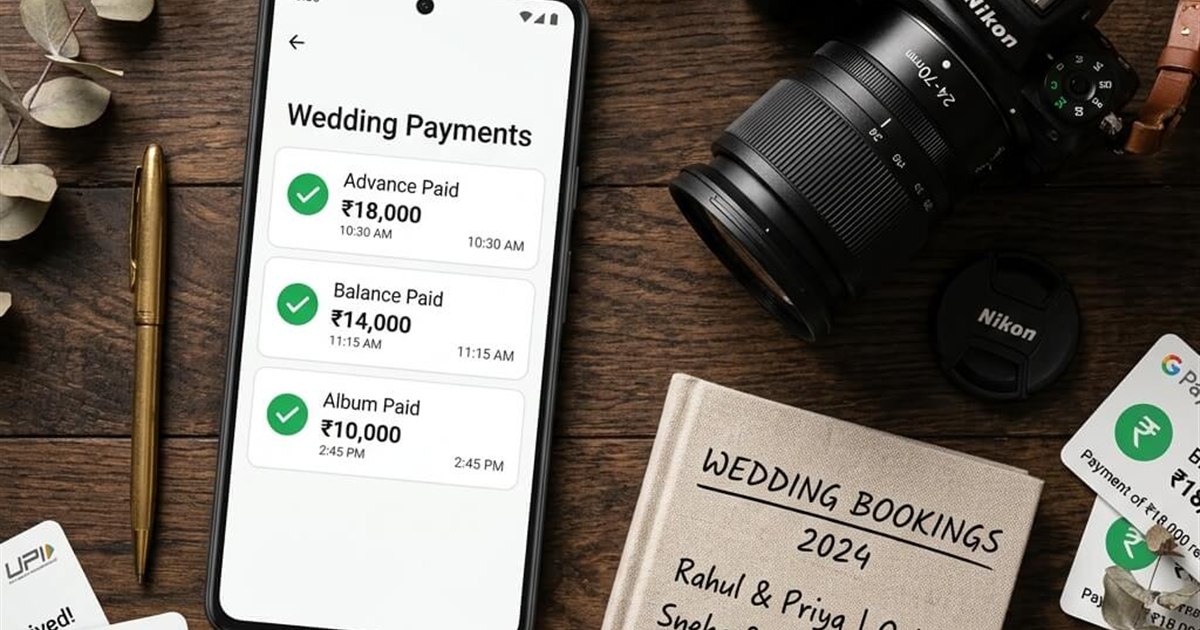
The photography CRM lets you define the installment structure within the same package - advance percentage, shooting balance, and album payment. The selection limit, terms, and payment structure are all in one place per package. When you create an event and assign a package, everything carries over automatically.
Two Links Generated the Moment You Create the Event
Once the event is created, MyPhotoStudio automatically generates two separate links and sends both to the client via email and WhatsApp - without any manual step from the studio.
Link 1 - Guest Gallery URL
This is the public gallery link - the one you display as a QR code at the wedding venue, share in the family WhatsApp group, or print on the wedding album cover. All guests use this link to browse photos, use AI face search to find their own photos, and place soft copy or hard copy orders. This link is designed for the entire guest list.
Link 2 - Client Photo Selection Gallery
This is a separate private link created specifically for the event owner - the bride and groom's family - to select photos for album printing. It is different from the guest gallery. It shows the same photos but opens in the selection portal where the client can pick, favourite, and submit their album photos. The selection limit from the package is enforced here automatically.
Both links land in the client's inbox and WhatsApp the moment you finish creating the event. The client already has everything they need before they have to ask for it.
What the Client Sees - Inside the Selection Portal
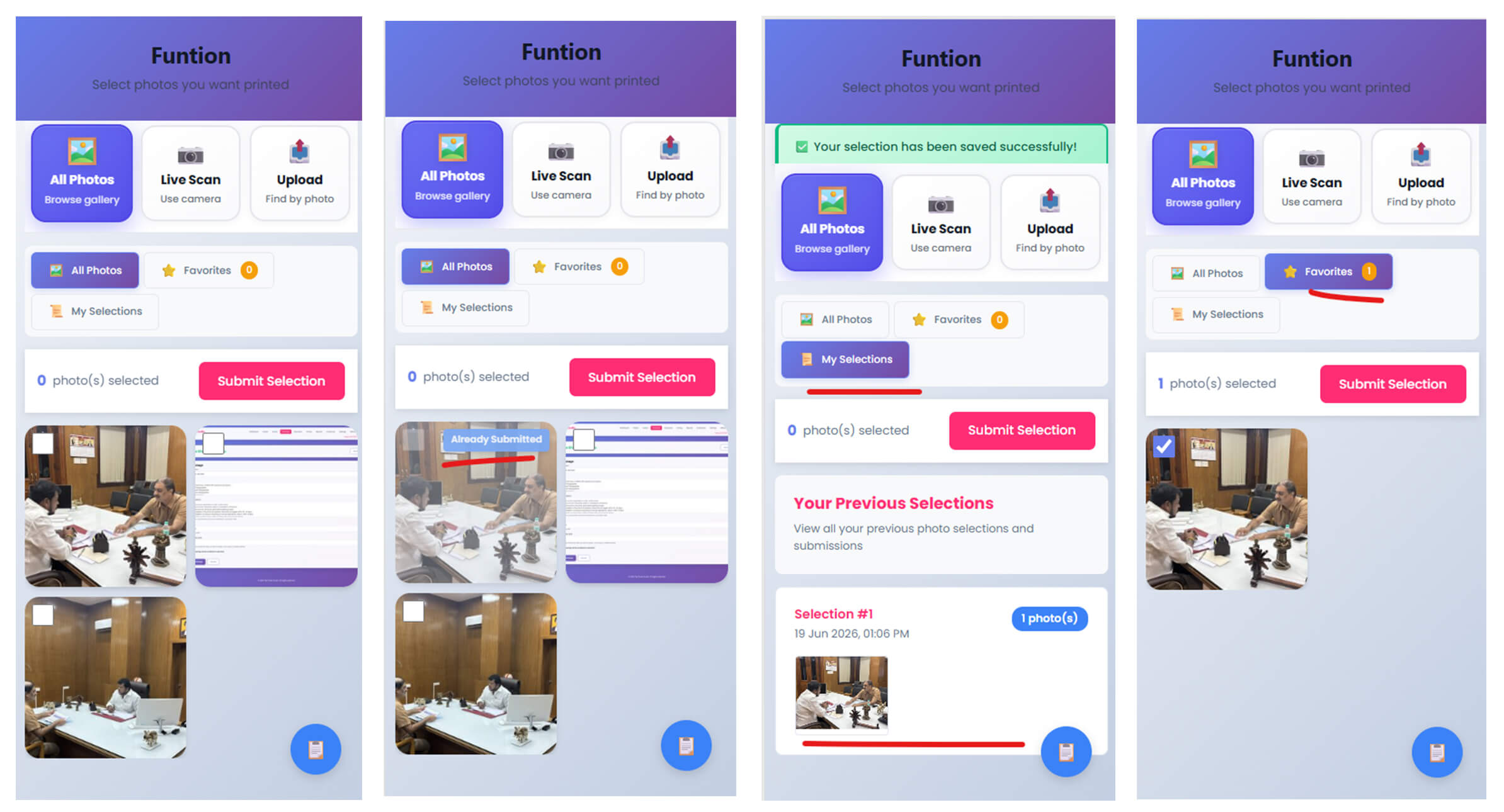
The client opens the selection link on their phone - no app download, no account creation. The portal opens in the browser. The event name appears at the top ("Nithin weds Subhashree") and the subtitle says: "Select photos you want printed."
Three Ways to Find Photos
At the top of the portal are three browse modes. The client switches between them depending on what they need.
All Photos - Browse the complete gallery. Scroll through every photo from the event. Best for clients who want to go through everything systematically.
Live Scan - Use the phone camera for AI face search. The client points their camera or takes a selfie and the portal instantly shows only photos featuring that person. A bride who wants all photos of herself can find them in seconds across 2,000+ images without scrolling manually.
Upload - Upload an existing photo to find matching faces. A family member who wants to find photos of an elderly relative can upload one reference photo and find every photo of that person in the gallery.
Selecting, Favouriting, and Submitting
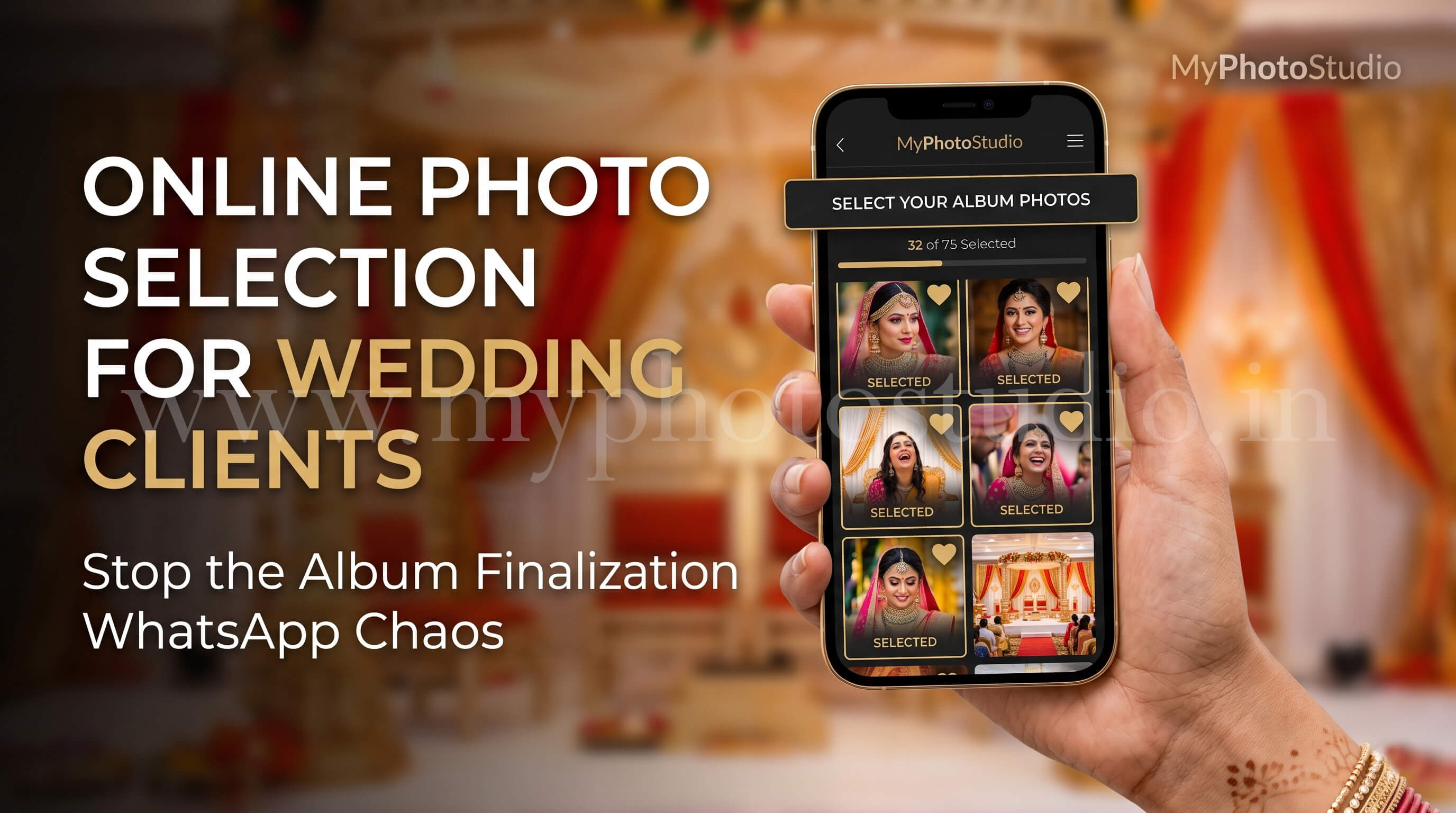
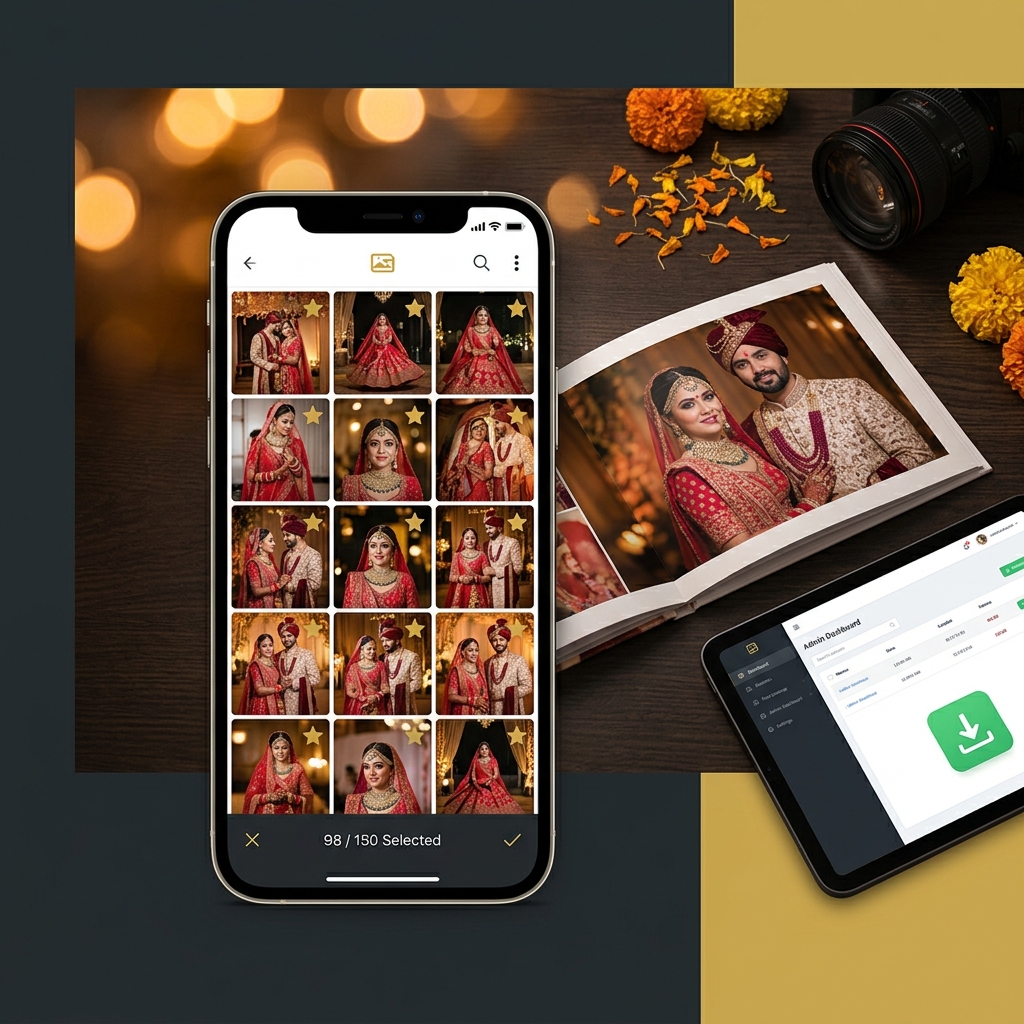
The client taps any photo to select it. A checkmark appears. The counter at the bottom updates: "47 photo(s) selected." The client can star photos as Favourites to review later before deciding. The Favourites tab collects all starred photos in one place - useful when browsing across multiple sessions.
When the client is ready, they tap Submit Selection. The portal confirms: "Your selection has been saved successfully." The submitted photos move to the My Selections tab, organised by submission group with a timestamp - "Selection #1, 19 Jun 2026, 01:06 PM, 12 photo(s)." The client can submit in multiple rounds - morning session, evening session - all submissions are recorded separately and visible in My Selections.
Photo Selection Limit Enforced Automatically
When the client reaches the selection limit set in the package - for example, 150 photos - the portal stops allowing further selections. The client can see their running count throughout the process. There is no way to exceed the limit. No conversation required after the fact about reducing the selection.
When Multiple Family Members Select From the Same Link
Tamil Nadu wedding album decisions involve the whole family - and MyPhotoStudio is built for that reality. The bride, the groom, the parents can all open the same client selection link and browse independently. When any family member submits a set of photos, those photos are marked as "Already Submitted" in the gallery for all subsequent viewers.
If the bride submits 60 photos in the morning, when the groom's mother opens the link in the afternoon she can see which photos are already in the selection. She adds her own choices without duplicating what is already there. The selection builds progressively from multiple family members without any confusion or overlap. The studio sees one clean accumulated list at the end - not three separate lists to manually reconcile.
What the Studio Downloads - Full Resolution, Zero Loss
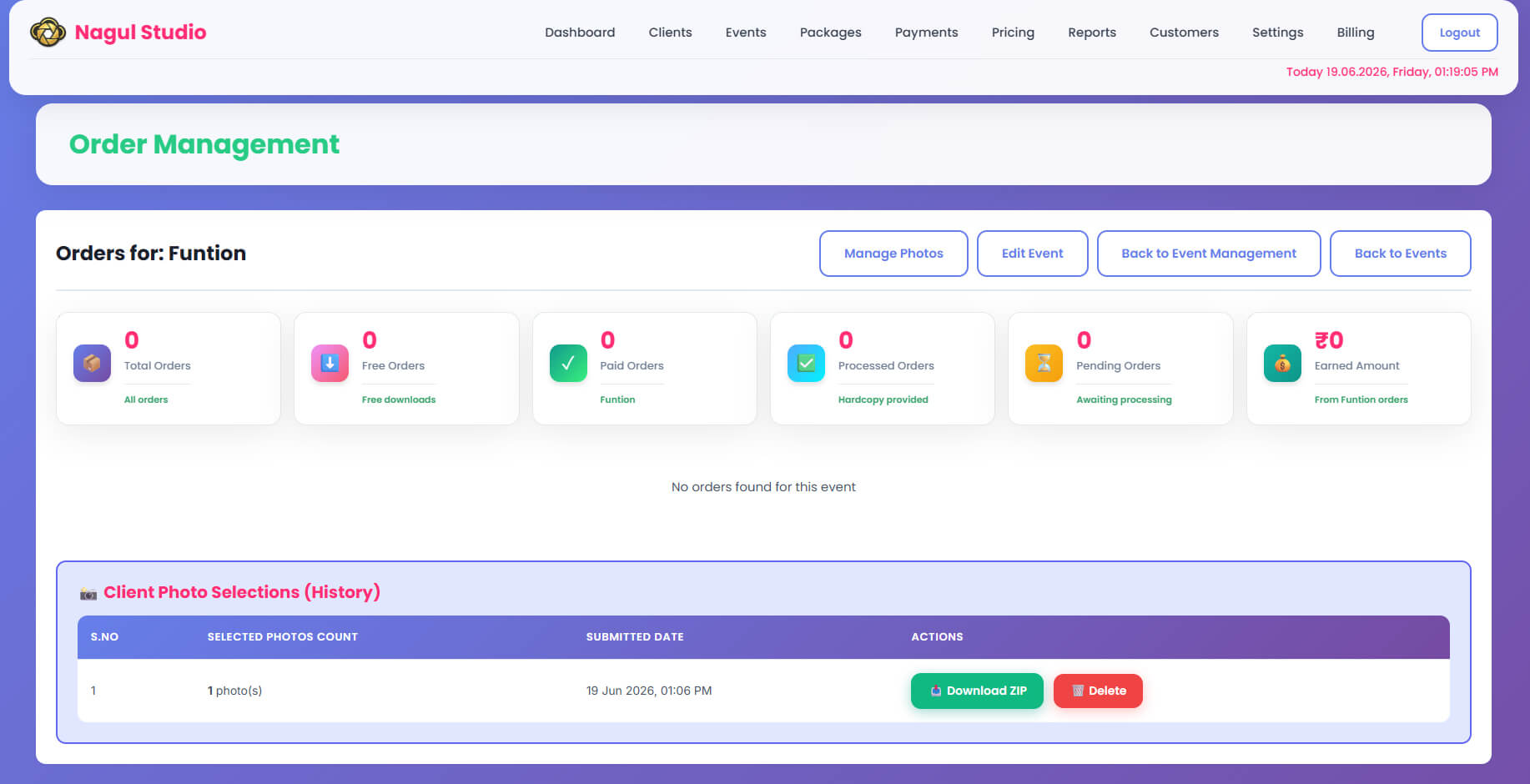
Once the client finishes submitting their selection, the studio sees every submitted photo in the admin panel. The photos are organised by submission group exactly as the client submitted them, with timestamps.
The studio admin downloads all selected photos in a single action. The downloaded files are the original files - the same resolution and file size that was uploaded to the event. No compression. No resizing. No quality reduction. The photographer gets back their own original edited files for exactly the photos the client selected, ready to hand to the album designer or print lab directly.
This is the part that matters most for production. When you send photos to an album designer, you need the full-resolution originals. The selection portal delivers exactly that - a clean, confirmed list of photos in original quality, downloaded with one click.
The installment payment tracking system sits alongside this workflow - the album payment installment is tied to this exact moment, when the selection is submitted and production can begin.
Sharing the Finished Album - The e-Album Page-Flip Book
Once the album is designed and printed, MyPhotoStudio includes one more step in the same platform: the e-Album. The studio uploads the album pages - the designed spreads, as many as needed - and the system creates a digital page-flip book with a unique shareable link.
The client receives the e-Album link via WhatsApp and email. They open it on their phone and see their wedding album as a digital flip book - the same experience as holding the physical album, available immediately before the physical copy arrives. For clients in a different city from the studio, this means they can see and share the album without waiting for courier delivery.
The studio can unpublish the e-Album at any time - for example, if corrections need to be made before the final version is sent. The link becomes inactive until the studio republishes it. Album pages can also be updated or removed if the designer revises spreads between proof and final.
From gallery delivery to photo selection to album production to digital delivery - the entire post-event workflow runs inside one platform. The AI face search that lets wedding guests find their own photos from a 2,000-photo gallery in under a minute is the same technology available inside the client selection portal for the bride and groom's family to find their specific photos among thousands.
The Difference This Makes to Your Album Delivery Timeline
When album selection moves from WhatsApp to a structured portal, the timeline collapses. The client has a defined selection limit from day one. The portal enforces it automatically. Multiple family members can contribute without creating conflict. The studio gets a confirmed, clean list of original-quality files the moment the client submits.
A selection process that used to span 6-10 weeks of back-and-forth messages can finish in 3-5 days. The client does their part when the portal link lands in their WhatsApp. The studio downloads the originals the same day the client submits. The designer can start the same week. The physical album is with the client weeks earlier than before.
For a Chennai or Coimbatore studio running 15 weddings a month, that compression in the album timeline directly affects cash flow - the album payment installment is collected faster, the backlog of pending albums shrinks, and the reputation for fast delivery grows.
The client photo selection software is included in all MyPhotoStudio plans from ₹1,000 per event. The selection limit, client portal, family submission, original-quality download, and e-Album are all part of the same event workflow - no separate tool, no additional cost.
Still chasing album selections over WhatsApp?
Set up the client selection portal for your next wedding event. We will walk you through the package setup and selection limit configuration - direct conversation with our founder, no forms, no wait.
WhatsApp Us to Get StartedRelated Reading
- How to Deliver 500 Wedding Photos to Every Guest in 10 Minutes Using AI Face Search
- How to Collect Advance Payment and Track Installments for Every Photography Booking
- Client Photo Selection Software - Full Feature Overview
- Wedding Album Sharing Software for Photographers
Transform Your Photography Studio Today
Start automatically delivering thousands of event photos directly to your clients using MyPhotoStudio's AI Face Recognition - from ₹1,000 per event.
Start Free TrialLearn about our photography CRM software or view pricing plans.