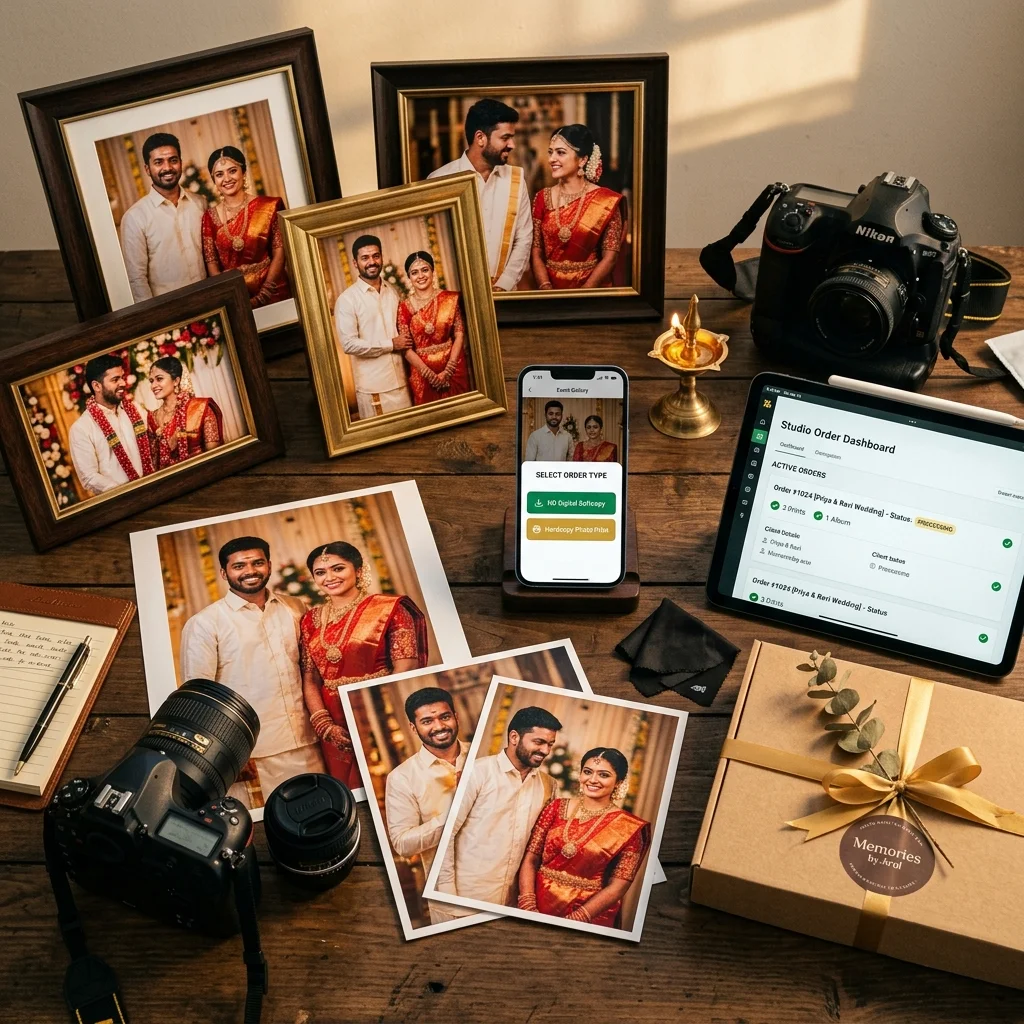
At the end of an event, the photos are the same for everyone - but the requests are not. One guest wants the group photo on their phone tonight. Another wants the full-resolution file they can print later at any size. A family wants a framed print of the one photo they will put on a wall. Three people, three different things, all from the same gallery.
Handled by hand - over WhatsApp, over phone calls, with prices quoted from memory - that work grows with every event and the money leaks. This guide explains how guest photo orders work when the gallery handles them: what the guest sees, and what you switch on for each event.
How do you sell event photo prints and downloads online? Publish the event gallery, then enable the delivery options you want for that event: a free softcopy download, a paid HD softcopy download with your own prices, print orders with your own sizes and prices, or any combination. The guest picks the photos, picks an option, pays through your own gateway account where payment applies, and the gallery records the order. Each option is switched on separately, for each event.
Why Guests Ask for Photos Three Different Ways
The three requests look similar from the outside. They are not, and the difference decides what you enable.
- "Can you send me that photo?" - this guest wants access. They are not planning to print anything. Charging them creates friction for a small amount of money, and at a wedding with hundreds of guests, that friction turns into hundreds of individual WhatsApp conversations for you.
- "I want the original file." - this guest wants the full-quality photo, usually because they intend to print it or keep it properly. This is the request worth charging for, and it is the one guests at a school annual day, a marathon, or a corporate event expect to pay for.
- "Can I get a print?" - this guest does not want a file at all. They want a physical photo in a size they have chosen. The value here is the print and the delivery, not the download.
A gallery that offers only one of these three loses the other two. Offering all three, with the choice made per event, lets you be generous where goodwill matters and paid where guests already expect to pay.
The Three Delivery Options a Guest Actually Sees - and What You Switch On Per Event
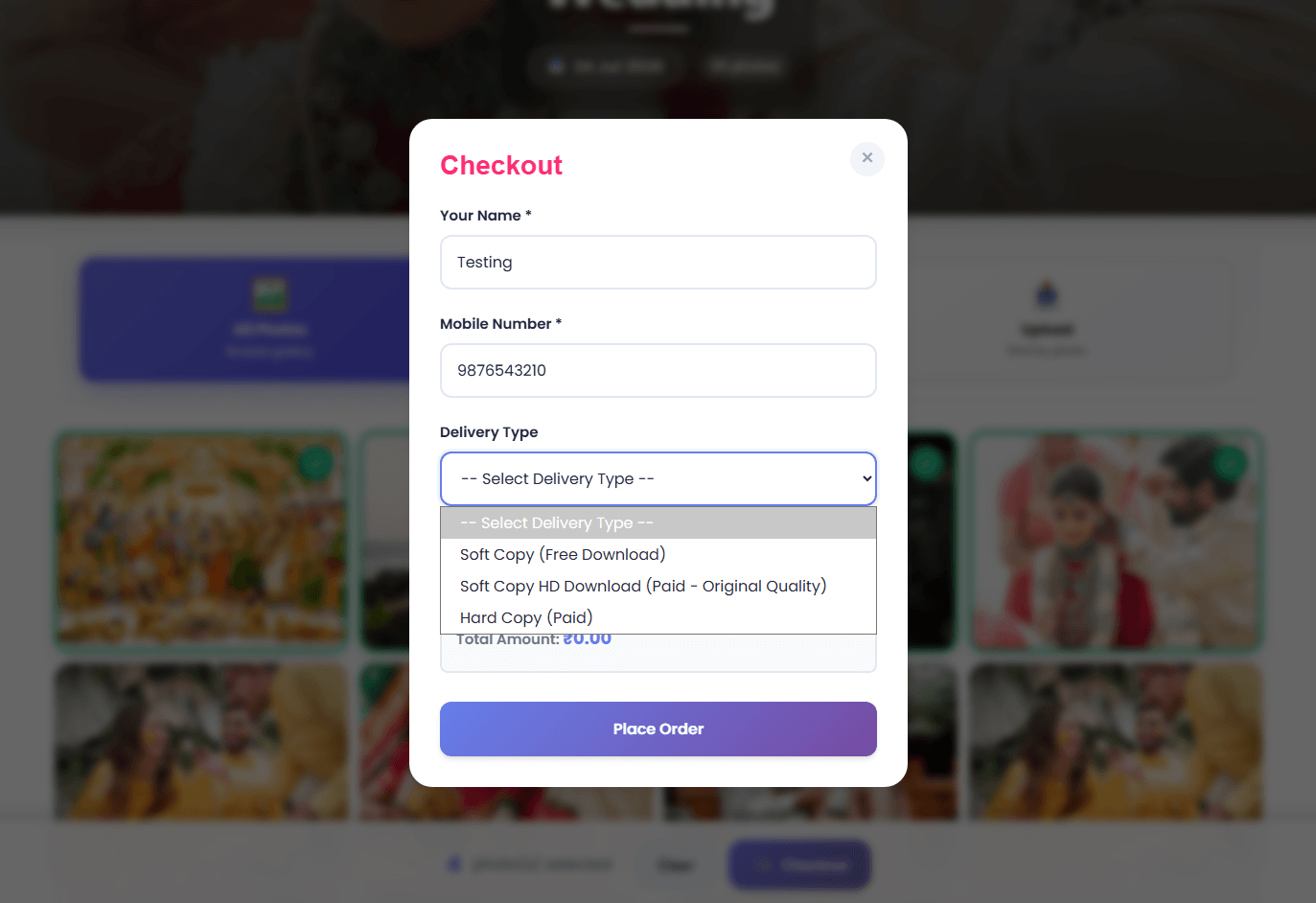
When a guest selects photos in the gallery and opens the order form, they enter their name and mobile number and then choose a delivery type. The list they see is built from the options you enabled for that specific event:
- Soft Copy (Free Download) - appears only if you enabled the free softcopy download for that event.
- Soft Copy HD Download (Paid - Original Quality) - appears only if you enabled paid softcopy downloads for that event and you have at least one softcopy download price set up.
- Hard Copy (Paid) - appears only if you have at least one print pricing option for that event, and your studio is set up to take gateway payments.
Nothing appears by default. Enable none of them and the gallery is a viewing gallery with no ordering. That is deliberate - the same platform serves a wedding where you want zero friction and a corporate event where every download is paid, and the difference is the switches on the event.
One thing applies to every event regardless of what you enable: the photos a guest browses in the gallery are watermarked and compressed previews. That protection does not depend on a toggle. What the switches control is what happens when a guest actually orders a file.
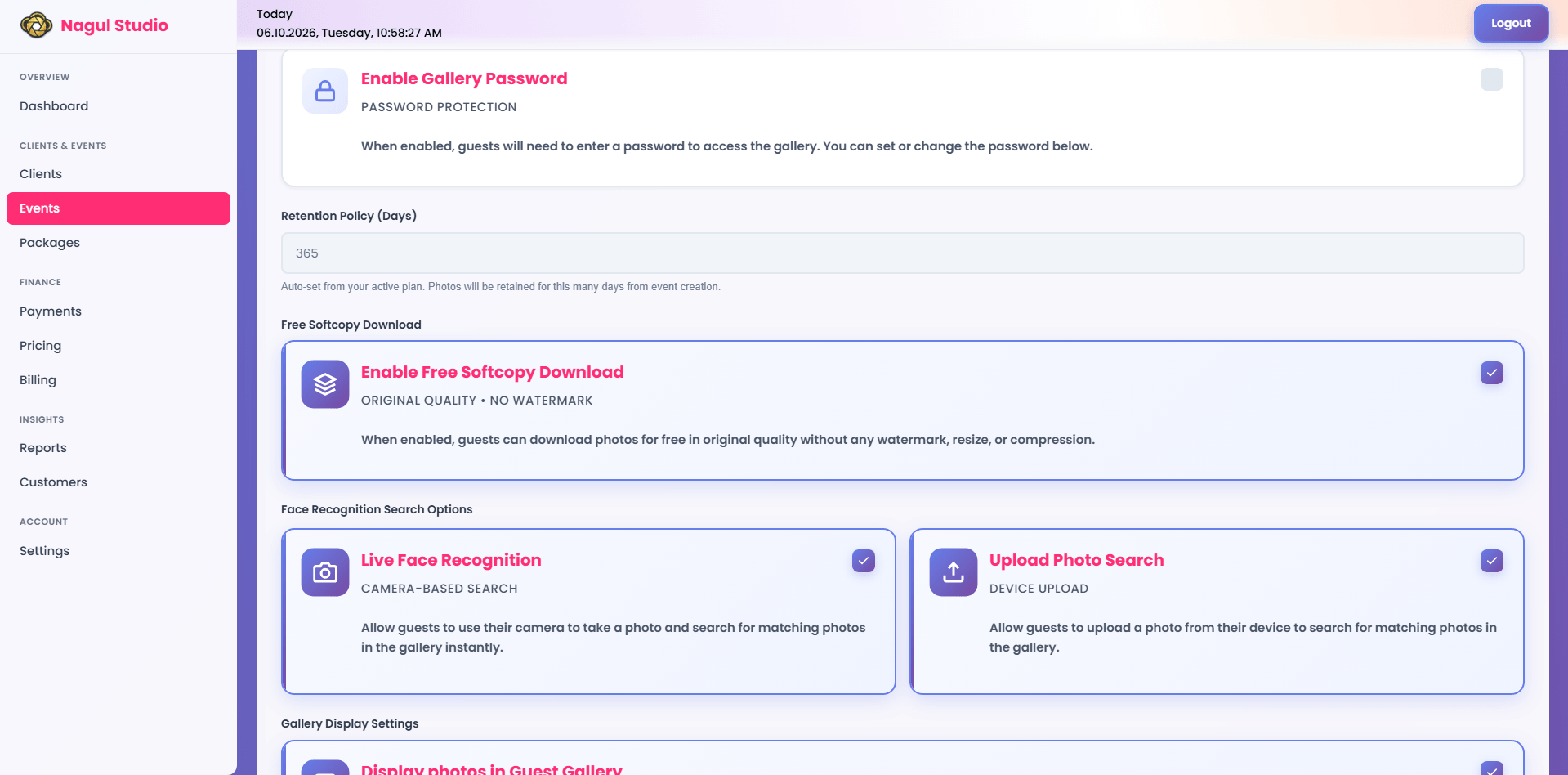
Free Softcopy Download: Full Quality, No Watermark, Your Call Per Event
This is the option most photographers misunderstand, so it is worth being exact about it.
When you enable the free softcopy download for an event, a guest who chooses that option gets the original file - the full-quality photo, not resized, not compressed, and without a watermark. The studio-side label says so plainly: Original Quality, No Watermark. The watermark lives on the preview in the gallery, not on the file the guest downloads.
That makes the free option genuinely valuable to the guest, which is exactly why the decision is per event. The practical rule:
- Enable it when access is the goal. A wedding where the couple's package is already paid for, a family temple function, a small private event - here you want hundreds of guests to get their photos without messaging you, and there was never going to be download revenue from them.
- Leave it off when the downloads are your product. A school annual day, a marathon, a concert, a corporate event - if guests can take the original file for free, they will, and the paid option beside it has nothing left to sell.
Enabling both free and paid downloads on the same event is possible, but think about what the guest sees: two options, one of which is free and gives the same original file. For an event where you intend to sell digital photo downloads, pick one.
Paid HD Softcopy: Pricing Options, Payment First, Then the Download
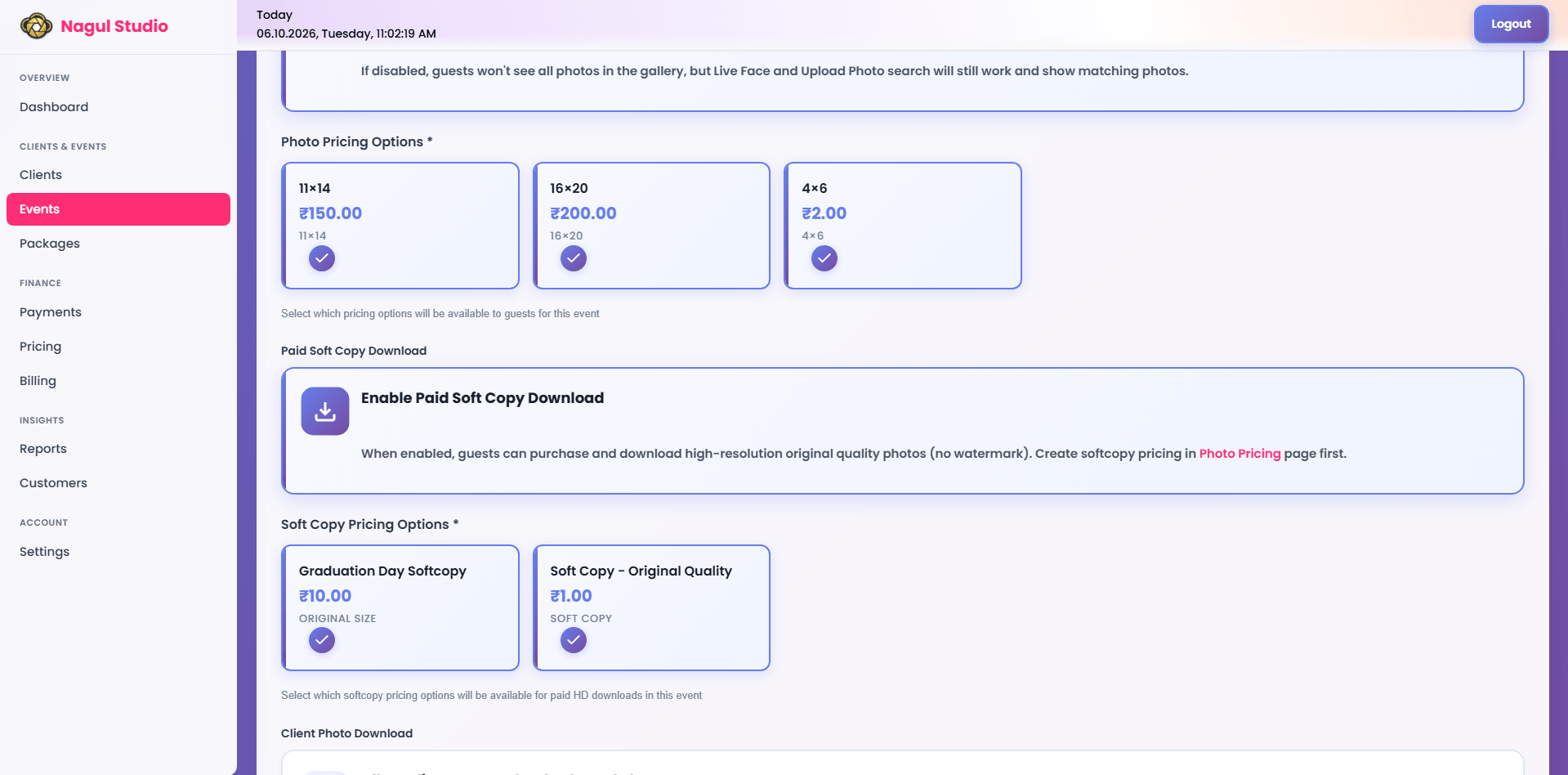
Paid softcopy is how you sell digital photo downloads from the gallery. Two things have to be in place for a guest to see it: the paid softcopy download has to be enabled for the event, and you need at least one softcopy download price configured. Without a price, there is nothing for the guest to buy, so the option stays hidden.
You set those prices yourself, in your studio's pricing section - a name, the price, and an optional description for each option. They are your prices, not a platform rate card.
The order of events matters, and it is enforced on the server rather than just in the browser:
- The guest selects photos and chooses the paid HD download.
- They pay through your own gateway account - the money reaches your account, not an intermediary's.
- Only once the order is in a paid state does the download work. A request for the HD file on an order that has not reached that state is refused, with a message telling the guest payment is required first.
- The download then serves the original file - no resize, no compression, no watermark.
This is the part a shared folder cannot do. A Drive link either gives everyone the original or gives nobody it - it cannot check, per order, whether that particular guest has paid.
Hardcopy Prints: Size and Type Pricing Options, and the Payment-Gateway Requirement
Print orders work the same way in principle and have one extra requirement worth knowing before you promise prints to a client.
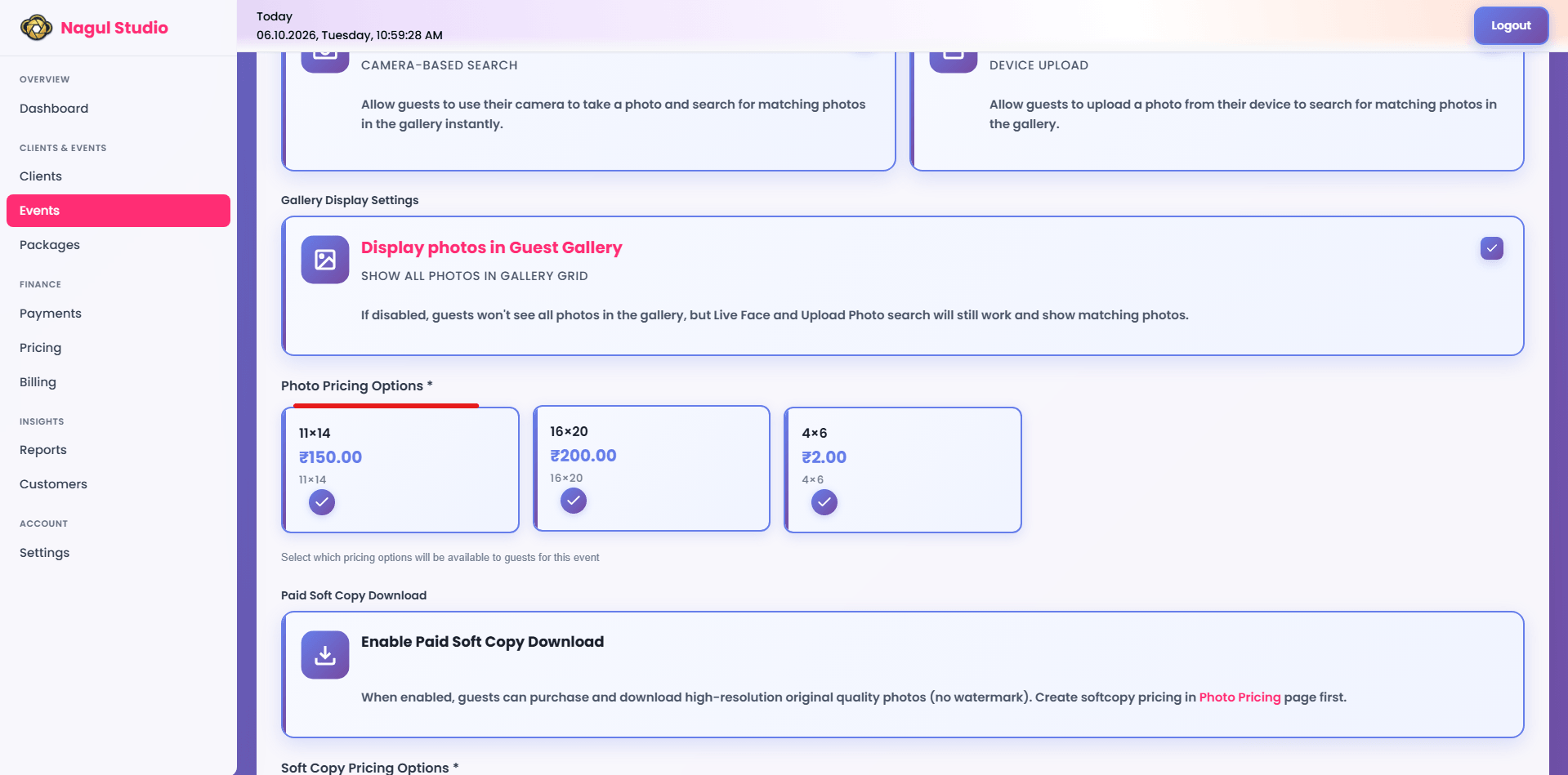
To sell photo prints online from the gallery, you first create print pricing options for the event. Each one carries a name, the size or type, your price, an optional description, a sort order for how it appears to the guest, and an active flag so you can retire an option without deleting its history. A guest ordering a hardcopy must choose one of these options - the order cannot be placed without a size and type, because a print with no size is not an order you can fulfil.
The extra requirement: print ordering needs your studio set up to take gateway payments. If your studio's primary payment method is set to your own bank account or UPI instead of a gateway, hardcopy ordering is switched off - it disappears from the guest's delivery list, and an order submitted anyway is rejected on the server. Prints involve your cost at the lab and a delivery you have to arrange, so the platform does not let them be ordered through a payment route it cannot confirm. If prints matter for an event, check this setting before you share the gallery.
Fulfilment stays with you - your own lab, your own paper and quality standards. The gallery's job is to record which photo, which size, at what price, for whom, with the money already collected.
Direct Pickup vs Courier: The One Flat Courier Fee You Set Once
A print order needs to reach the guest, and there are exactly two ways it can:
- Direct - the guest collects the prints from your studio, or you hand them over at a later function. No delivery fee is added.
- Courier - the prints are sent to an address the guest enters: address line 1, city, state, and a 6-digit pincode are all required, with an optional second address line and landmark. The courier fee is added to the order total.
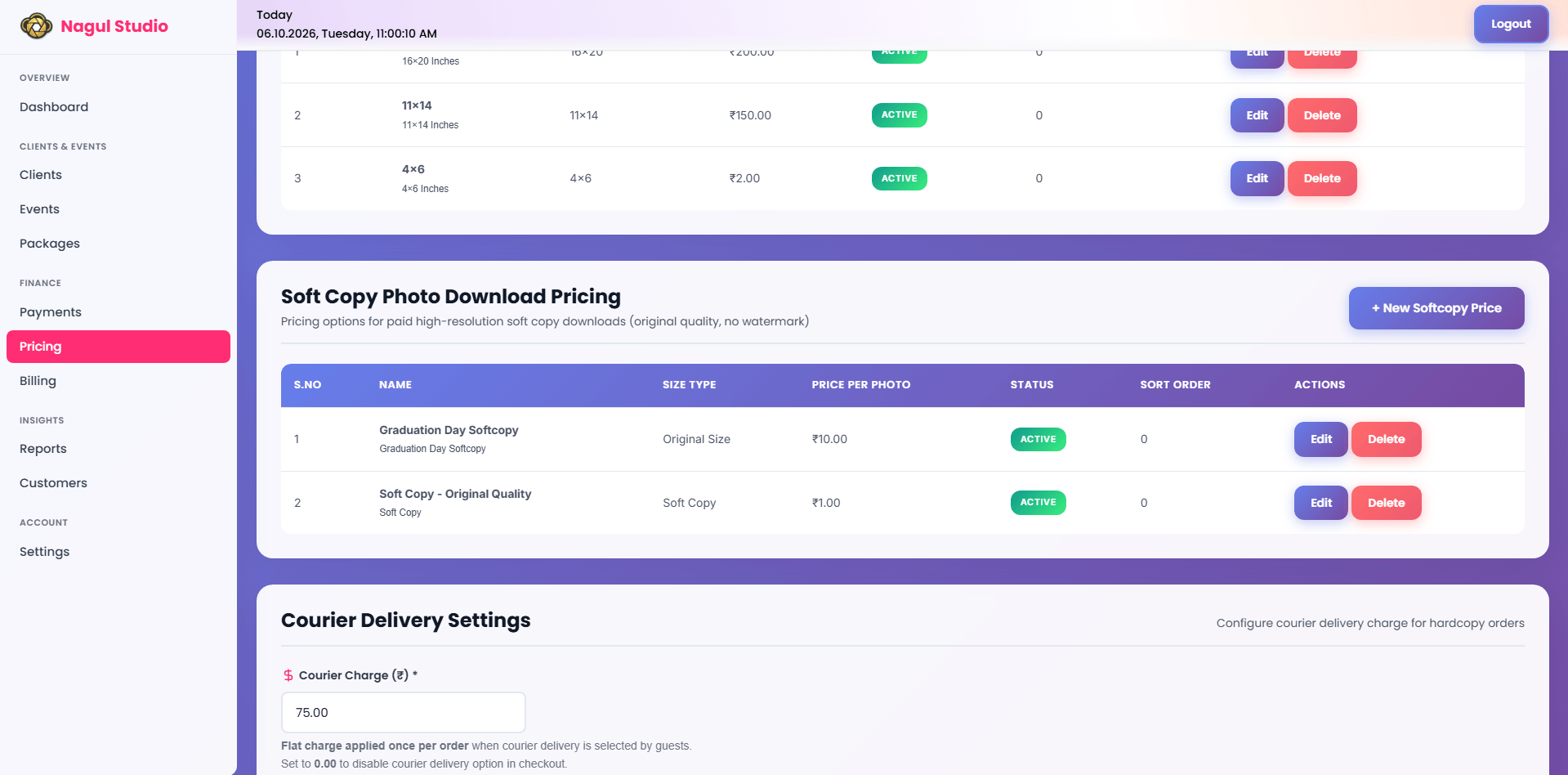
The courier fee is one flat amount you configure once for your studio, in your pricing section under courier delivery settings. It is the same for every courier order. It is not calculated from distance, weight, or the number of prints - so set it at a level that covers your realistic cost across the area you actually serve.
Two consequences follow from that, and both are useful:
- Courier appears only when the fee is set above zero. With no courier charge configured, the guest sees only direct collection. The check is repeated on submission, so a courier order placed without a fee is refused with a message asking the guest to choose direct delivery.
- The fee is visible before the guest commits. The courier option shows the amount beside it, and the fee is recorded on the order separately from the photo cost - so your records separate print revenue from delivery recovery.
If you do not want to courier prints at all, leave the charge unset. That is the switch - there is no separate on/off control to remember.
Setting This Up for Your Next Event
Pick one upcoming event and work through it in order:
- Decide what the event is for. Access, revenue, or both. This single decision drives everything below.
- Set your prices first. Softcopy download prices if you will sell digital files; print pricing options with sizes and types if you will sell prints. Neither option can appear to a guest before its prices exist.
- Set the courier charge - or deliberately leave it unset. One flat amount, set once, applies to every courier order from then on.
- Check your payment setup if you want print orders. Gateway payments need to be your studio's primary method for hardcopy ordering to be available.
- Enable the delivery options on the event. Free softcopy download for an access-first event. Paid HD softcopy where guests expect to pay for files. Print ordering wherever a physical photo has value.
- Open the gallery as a guest before you share it. Select a photo, open the order form, and read the delivery list. The options you expect should be there and the ones you did not enable should not. This two-minute check catches a missing price or an unset courier charge before a guest does.
Start with one event rather than changing everything at once. A smaller corporate event or school function is a better first test than a large wedding - the audience already expects to pay, and the order volume is small enough to watch closely.
To see the full picture of how wedding photo prints and downloads are sold from a gallery, visit the sell photos online page.
Want to take guest photo orders from your next event?
We will help you set up your download prices, print sizes, and courier charge - direct conversation with our founder, no forms, no wait.
WhatsApp Us to Get StartedRelated Reading
- How to Sell Photos Online in India - A Practical Guide for Photographers
- Watermark Settings for Photography Studios - None vs. Text vs. Image, by Event Type
- How to Deliver Wedding Photos to 500 Guests Without Sending a Single WhatsApp
- Sell Event Photos Online Directly to Your Clients
Transform Your Photography Studio Today
Start automatically delivering thousands of event photos directly to your clients using MyPhotoStudio's AI Face Recognition - from ₹1,000 per event.
Start Free TrialLearn about our photography CRM software or view pricing plans.