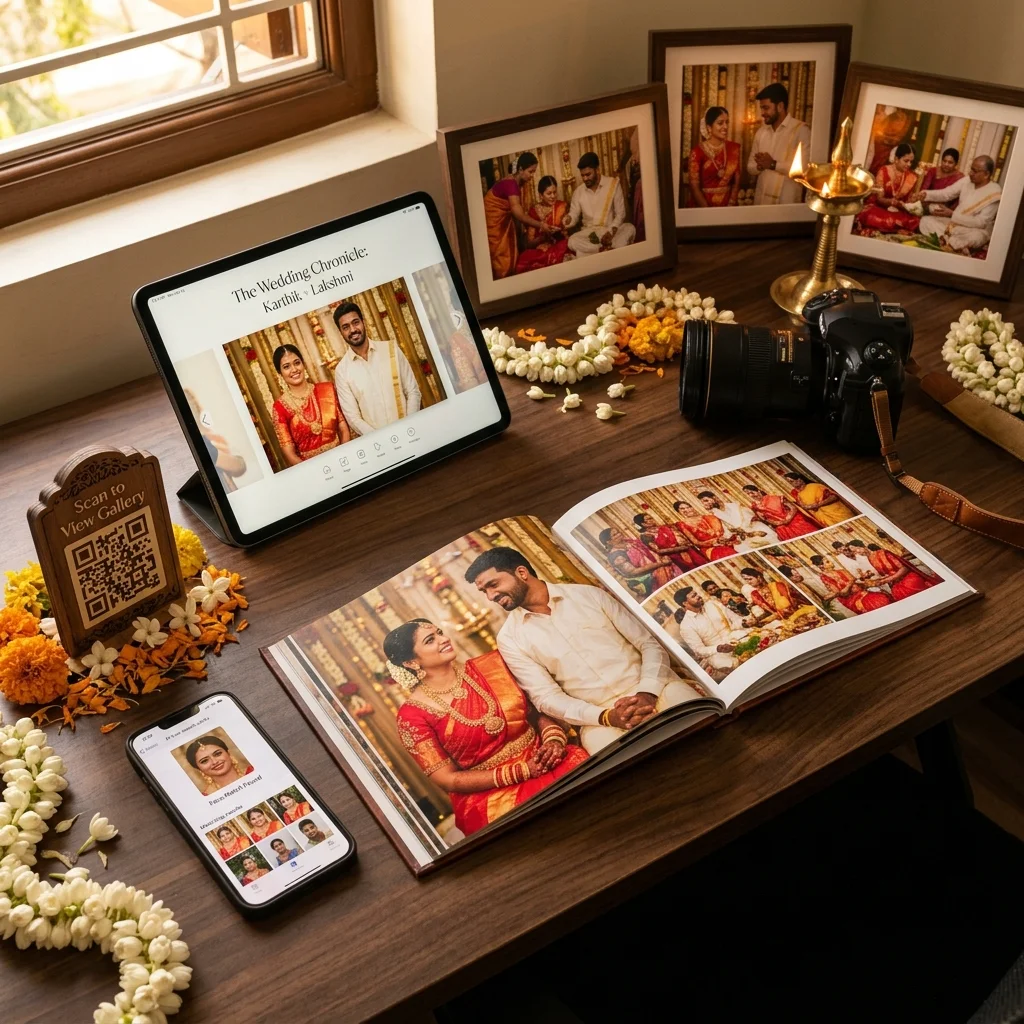
Every studio knows the feeling. The muhurtham calendar fills up, enquiries arrive on the same few dates, and for the next few months the studio runs on WhatsApp chats, notebook entries and late nights. The shoots usually go well. What breaks is everything around them - the advance that was never recorded, the guest who is still asking for photos three weeks later, the album that cannot go to the press because nobody knows if the balance was paid.
The short answer: a wedding season workflow for photographers in India is a fixed sequence you repeat for every booking - read the muhurtham calendar, confirm the booking with an advance, prepare the shoot week, deliver photos to guests, run album selection, publish the album and collect the final payment. When each step happens the same way every time, a busy season stops feeling like chaos.
This guide walks through each stage, from the first enquiry on a muhurtham date to the delivered album, and shows where studios usually lose time.
Why Photographers in India Need a Wedding Season Workflow
Indian weddings do not spread evenly across the year. They cluster around auspicious dates, so a studio might have three enquiries for one Sunday and nothing for the next two weeks. During peak months, a busy studio can have bookings, shoots, deliveries, album selections and payments all running at once, for different families, at different stages.
Without a fixed workflow, every booking is handled from memory. That works for four weddings a month. At twelve or fifteen, details start to slip:
- Two families are told the same date is available.
- An advance arrives on GPay and is never written down.
- Guests keep messaging for their photos long after the wedding.
- Album selection drags on because the couple keeps adding photos.
- The album payment is chased months after the event, when the family has moved on.
A wedding season workflow for photographers fixes this by deciding in advance what happens at each stage, and where the record of it lives.
Step 1 - Read the Muhurtham Calendar Before Enquiries Arrive
The season starts before the first booking. Most families fix the date with their priest or astrologer first and contact the photographer afterwards, so the busy dates are predictable. Open the muhurtham calendar for the communities you serve and mark the dates that are likely to bring more than one enquiry:
- Tamil muhurtham dates 2026
- Telugu muhurtham dates 2026
- Kannada muhurtham dates 2026
- Malayalam muhurtham dates 2026
- Hindi shubh vivah muhurat dates 2026
The calendar does not tell you which date is right for a family - that is their decision. What it tells you is where your photography bookings will collide. For each high-demand date, decide before the season starts:
- How many events you can cover on that date, based on your teams and equipment.
- Whether a second team is available, and who leads it.
- What advance you need to hold a peak date, so you are not holding it on a verbal promise.
Planning the wedding season photography schedule this way means you answer enquiries with confidence instead of checking three chats before replying.
Step 2 - Confirm Every Booking With an Advance
A date is not booked until the advance is recorded. In a busy season, the booking stage is where most payment problems begin, because the amounts agreed on the phone are never written down in one place.
A simple structure that works for most wedding packages is three installments:
- Advance - paid when the date is confirmed.
- After-event payment - the shooting balance, collected after the wedding.
- After-album payment - collected once album selection is finished and before the album goes to the press.
In MyPhotoStudio, you enter the package price and the three installment amounts when you create the event, and you can set custom amounts for each booking. Each payment is recorded against the event as it arrives - GPay, bank transfer, cash or an online payment link, and clients can upload a UPI payment screenshot for you to verify - so the payment status of every booking is visible on one dashboard. While any installment is pending, the booking produces a proforma invoice; once all three are recorded, it produces the final invoice. The full setup is explained in how to collect advance payment and track installments for every photography booking.
Step 3 - Prepare the Shoot Week
The week before a wedding is when small preparation saves the most time later. Run the same checklist for every booking:
- Confirm the event details - venue, timings, functions covered and the team assigned to each.
- Check the payment status - make sure the advance is recorded and the client knows when the next installment is due.
- Set up the event gallery in advance - decide whether AI face search is switched on for this event, and which guest options you will offer: free softcopy download, paid HD softcopy or hardcopy prints. Each one is enabled separately per event.
- Download the QR banner - MyPhotoStudio gives you a print-ready event QR banner in one click from the event page. Print it before the wedding day, not on the morning of it.
- Check your watermark setting - it is set once for the studio, not per event, so review it before the season starts.
When the event already exists before the wedding day, photos can go into the right gallery as soon as you start uploading, and nothing has to be set up in a rush afterwards.
Step 4 - Busy Season Photo Delivery to Guests
Guest delivery is the biggest time sink of a wedding season. A single wedding can produce hundreds of photos and dozens of messages asking for them. Multiply that by every booking in the season, and delivery alone can take more hours than editing.
The fix is to let guests collect their own photos:
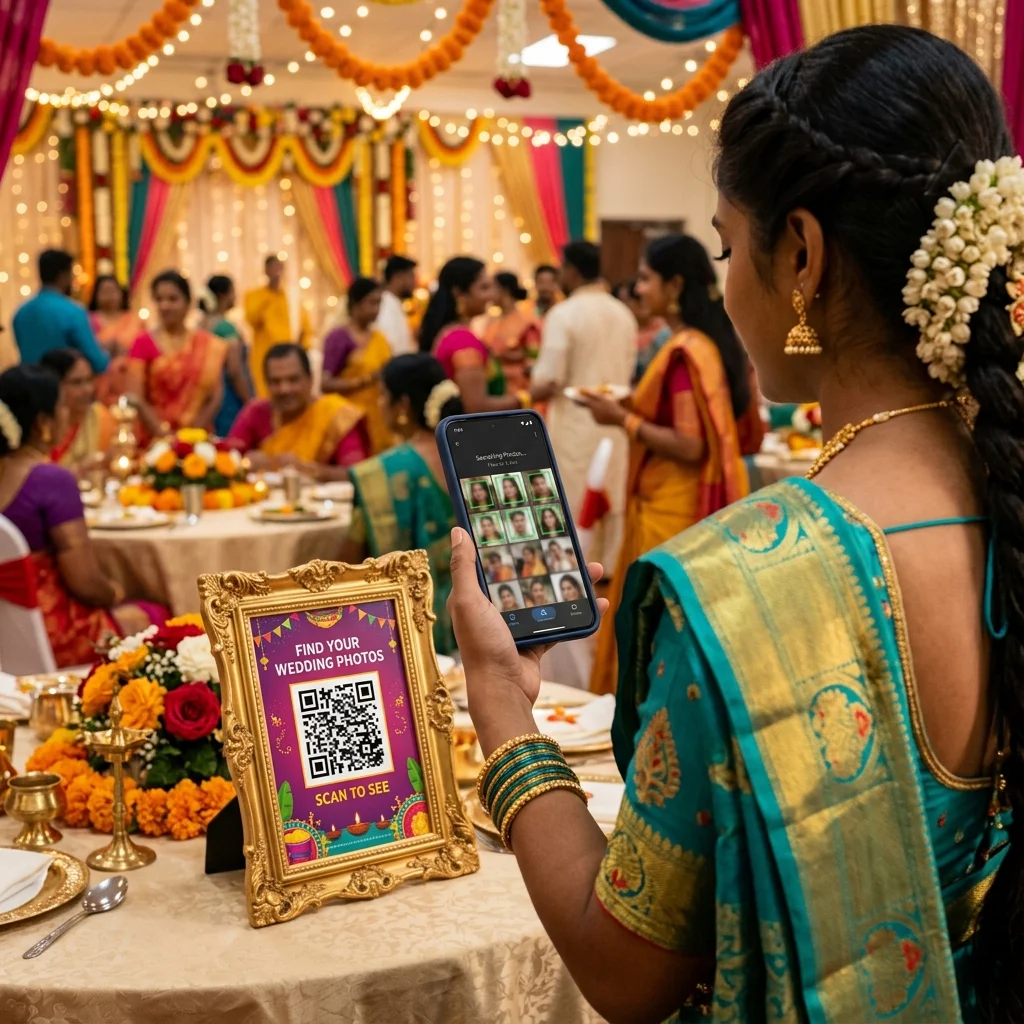
- QR code at the venue - guests scan the banner and open the event gallery in their phone browser, with no app to install.
- AI face search - guests take a selfie and see the photos they appear in, instead of scrolling through the whole wedding. Matching depends on how clearly faces appear in the photos.
- WhatsApp for the link only - share the gallery link in the family group for anyone who missed the QR code, rather than sending the photos themselves.
- Optional orders - if you enabled them, guests can order HD softcopies or prints from the gallery.
For a full comparison of delivery methods, read wedding photo delivery options in India and which method fits whom.
Step 5 - Run Album Photo Selection With a Limit
Album selection is where wedding season timelines quietly stretch. The couple browses hundreds of photos, picks far more than the package includes, and the album waits while the list is negotiated over chat.
Send the couple their private client gallery link once the after-event payment is settled - or at whatever point your terms say - and let them select in the gallery instead of on WhatsApp. If you set a photo selection limit on the package, the client selection gallery enforces it, so the couple cannot pick more photos than the package includes. They know the number from the start, so the list arrives ready for the designer. How to choose limits for each package is covered in how to set album photo selection limits for wedding packages.
Step 6 - Publish the e-Album and Collect the Final Payment
Once the designer finishes the album, the printed copy can take a while. A digital e-album lets the couple and their family see the finished design straight away. In MyPhotoStudio, each event has one e-album: upload the album pages, put them in order, keep it in draft while you check it, then publish and share the link. The steps are in how to create and publish a digital wedding e-album for clients.
This is also the right moment for the after-album payment. The couple has seen the finished design, so the album payment is a natural next step rather than an awkward reminder. Once the third installment is recorded, the booking produces the final invoice and the event is fully paid.
Wedding Season Timeline at a Glance
The same sequence applies to every booking. Timings vary by studio and package - use this as a starting point:
| When | What to do | Where it is recorded |
|---|---|---|
| Before the season | Mark high-demand muhurtham dates, decide capacity per date, review watermark | Your calendar, studio settings |
| At booking | Create the event, set package and three installments, record the advance | Event and payments |
| Shoot week | Confirm details, set guest options and face search, print the QR banner | Event settings |
| Wedding day | Display the QR banner, start uploading to the event gallery | Guest gallery |
| After the event | Share the gallery link, collect the after-event payment | Guest gallery, payments |
| Album stage | Send the client gallery for selection with the package limit | Client selection gallery |
| Final delivery | Publish the e-album, collect the album payment, issue the final invoice | e-Album, payments, invoice |
The Season-End Review
When the peak months end, take one afternoon to close the season properly before the next one begins:
- Outstanding payments - list every booking with an unpaid installment and follow up while the wedding is still recent.
- Pending deliveries - check for any album selection or e-album that is still waiting.
- Reviews - ask happy couples for a Google review while the experience is fresh. Reviews written during the season help you win bookings for the next one.
- What slowed you down - note which step caused the most follow-up messages, and fix that step before the next season.
The quieter months between peak seasons are the right time to change your tools or process - not the week before the busiest muhurtham dates.
Putting the Workflow Into Practice
A wedding season workflow for photographers in India does not need to be complicated. It needs to be the same for every booking, and every step needs one place where its record lives. Booking and installments, guest delivery with QR codes and AI face search, album selection, the e-album and invoices all sit in the same event in MyPhotoStudio, so each wedding moves through the season without being rebuilt from chats and memory.
See every part of the platform on the MyPhotoStudio product page, follow the full process on how it works, or compare plans on the pricing page.
Getting ready for wedding season?
We will help you set up bookings, installments and guest photo delivery before your busiest muhurtham dates - direct conversation with our founder, no forms, no wait.
WhatsApp Us to Get StartedRelated Reading
- Tamil Muhurtham Dates 2026 - Auspicious Wedding and Event Dates for Photographers
- How to Collect Advance Payment and Track Installments for Every Photography Booking
- Wedding Photo Delivery Options in India: Which Method for Whom
- How to Set Album Photo Selection Limits for Wedding Packages
- How to Create and Publish a Digital Wedding e-Album for Clients
Transform Your Photography Studio Today
Start automatically delivering thousands of event photos directly to your clients using MyPhotoStudio's AI Face Recognition - from ₹1,000 per event.
Start Free TrialExplore our AI photo sharing platform, learn about our photography CRM software, or view pricing plans.