Your Photography Studio Website, Included in Every Paid Plan
Portfolio, packages, WhatsApp booking, an enquiry inbox and the policy pages payment gateways ask for - published at yourstudio.myphotostudio.in from the same dashboard you use to deliver event photos.
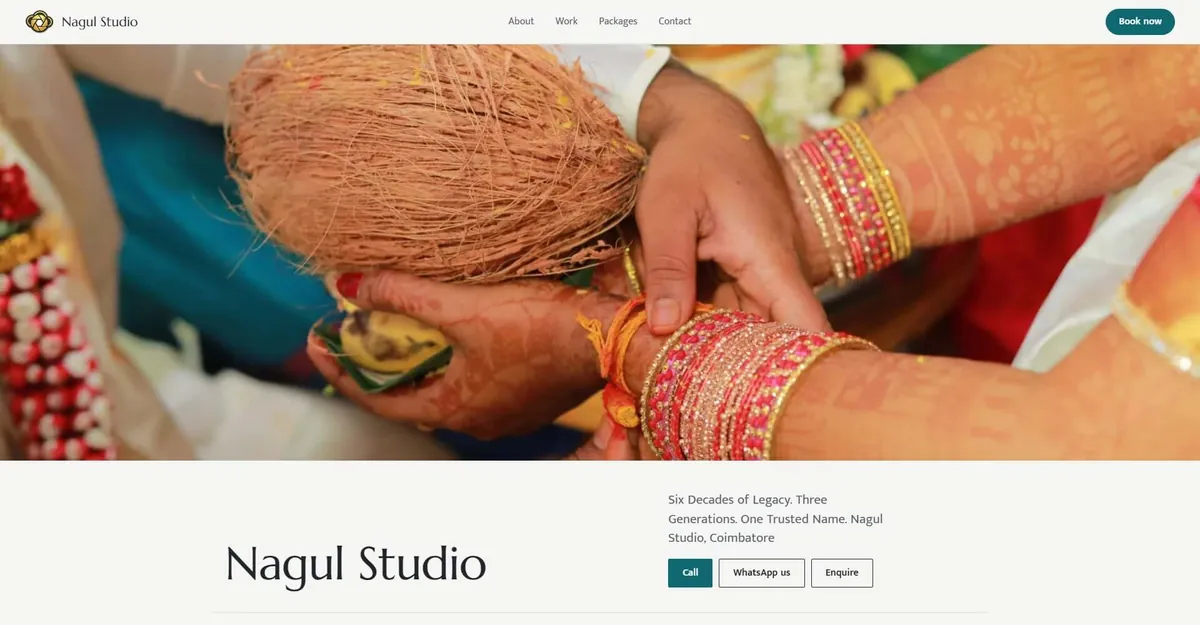
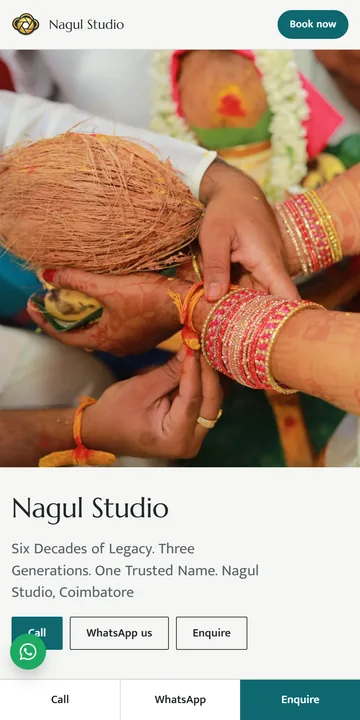
Everything a Photography Studio Website Needs
One site that shows your work, explains your packages and turns visitors into enquiries.
Portfolio That Lays Itself Out
Upload 3 to 12 of your best photos. The layout arranges them by shape into wide and tall tiles, and visitors open each one full screen.
Packages With Prices
Show your active packages from MyPhotoStudio. "Ask about this package" opens the enquiry form with the package name already filled in.
WhatsApp Book Now
The Book now button opens WhatsApp with a ready message to your studio number. Visitors can also call you with one tap.
Enquiry Form and Inbox
Clients send their name, mobile, event type and date. You get an email for every enquiry and mark each one New, Contacted or Closed.
Payment Gateway Pages
Terms, Privacy, Cancellation and Refund, and Shipping and Delivery policies come pre-filled with your studio details, ready for you to review.
Your Brand, Your Colours
Choose a Day or Night theme and one of six accent colours - Marigold, Kumkum, Peacock, Indigo, Leaf or Plum. Your logo sits in the header.
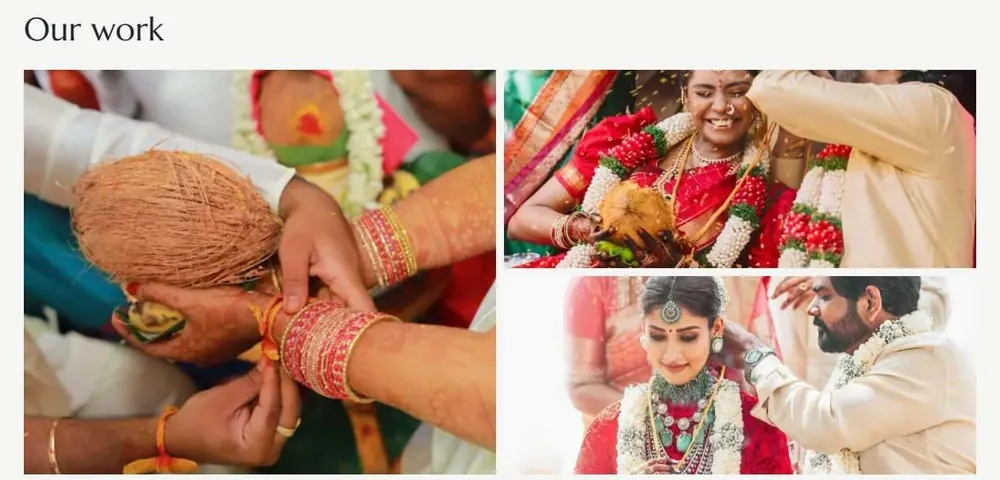
Show Your Best Work in Minutes
Pick the photos that win you bookings. MyPhotoStudio handles the layout, so your work looks right on every screen.
- 3 to 12 photos - JPEG, PNG or WebP, up to 15 MB each
- At least 800 pixels on the long side
- Your first upload becomes the cover - change it with Set as cover
- Location and camera data removed before publishing
No Website? Payment Gateways Usually Ask for One
Most payment gateways review your website before approving a merchant account. Your studio website already has the pages they look for.
Pages on Your Site
- About us and Contact us
- Terms and Conditions
- Privacy Policy
- Cancellation and Refund Policy
- Shipping and Delivery Policy
Business Details You Control
- Business name, phone and email from Settings
- Packages with prices (Show packages switch)
- Address and GST number - show or hide each
- Policies pre-filled - you review, edit and confirm
- Secure https address
The final approval decision is always made by the payment gateway. See platform compliance for how studio websites are used during onboarding.
Set Up Your Studio Website in Six Steps
If your About us text and portfolio photos are ready, your site can be live in about 5 minutes.
Step 1 - Check Settings
Confirm your business name, phone, email, address and logo in Settings. The website uses them directly.
Step 2 - Choose Your Address
Open Website in the Studio Admin sidebar and pick yourstudio.myphotostudio.in. A live check tells you if the name is free.
Step 3 - Write and Style
Add your tagline, About us, WhatsApp number and social links, then pick a theme and accent colour.
Step 4 - Upload Your Work
Upload 3 to 12 portfolio photos and set your best one as the cover.
Step 5 - Confirm Policies
Read and edit the four pre-filled policies, then confirm them.
Step 6 - Preview and Publish
Click Preview, check everything on your phone, then click Publish. Your site is live.
Want every detail? Read the full guide: how to set up your photography studio website.
Built for Clients on Their Phones
Your site works on any phone, with Call, WhatsApp and Enquire always one tap away.
- Sticky Call, WhatsApp and Enquire bar on mobile
- Floating WhatsApp button
- Enquiries in Studio Admin with one-tap Call or WhatsApp back
- Its own sitemap, so search engines can read your business name, contact details and pages
Included in Every Paid Plan
No separate website subscription. Your website sits next to your events, galleries and payments.
What Is Included
- Studio website on every paid plan, including Starter
- No extra cost for the website
- Build and preview the full site on the free trial
- One click to publish after moving to a paid plan
Good to Know
- Address is yourname.myphotostudio.in - own domain is not available at the moment
- The address is locked after the first publish
- Website text is in English
- The site stays online while your plan is active
Frequently Asked Questions
About the MyPhotoStudio studio website.
What is the MyPhotoStudio studio website?
It is a public website for your photography studio, built from your MyPhotoStudio dashboard. It shows your About us, portfolio, packages and contact details, has a WhatsApp Book now button and an enquiry form, and includes the terms, privacy, refund and shipping pages payment gateways usually ask for.
Is the studio website free with MyPhotoStudio?
Yes. The studio website is included in every paid MyPhotoStudio plan at no extra cost, including the Starter plan. On the free trial you can build and preview the full site as a draft, and publish it with one click after moving to a paid plan.
What will my studio website address be?
Your site opens at yourstudio.myphotostudio.in over a secure https connection, where yourstudio is a name you choose (3 to 30 lowercase letters, numbers or hyphens). The address is locked after the first publish, so choose it carefully. Our support team can change it if needed.
Can I use my own domain name?
Not at the moment. Every studio website runs at yourname.myphotostudio.in on every paid plan.
Can I use the website for payment gateway registration?
Yes. The site has About us, Contact, Terms and Conditions, Privacy Policy, Cancellation and Refund Policy and Shipping and Delivery Policy pages, and can show your packages with prices. The policies come pre-filled for you to review and edit. The final approval decision is made by the payment gateway.
How do clients contact me from the website?
Visitors can tap Book now to open WhatsApp with a ready message, call your number, or fill the enquiry form with their name, mobile, event type and date. You get an email for every enquiry and can track each one as New, Contacted or Closed in Studio Admin.
Which colours and themes can I choose for my studio website?
Choose a Day (light) or Night (dark) theme and one of six accent colours - Marigold, Kumkum, Peacock, Indigo, Leaf or Plum. Your logo and studio name appear in the header.
What happens to my website if my plan expires?
The website stays online while your plan is active. If the plan expires, the site goes offline until you renew, and renewing brings it back with all your content in place. If the plan is not renewed within the grace period, the studio data, including the website, is removed.
Put Your Studio Online This Week
Build your studio website on the free trial, preview it on your phone, and publish with one click on any paid plan.